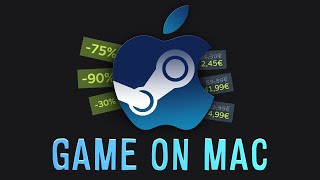
hello guys today I'm going to be this just a simple little tutorial today um I'm going to be telling you how to play H. O games this might be a really simple tutorial but some people actually do not know how to do this so you actually want to start with you're going to go whatever your device you used for like like searching up stuff and downloading which is mine is Chrome so what you want to do is you going to go to mine is right here but in task by I'm just going to go H yeah going to go here with games like this I'm going to go to free one to explain but that's for example uh I really want to play um whatever this is if this is zip file then good because that's pretty good so you have a little button here so if it's free it just have a straight button so you just scroll down and see it you're going to press download it's going to come up top right I'm going to open it and you're going to see countless different things depending on on your game you might have files but what you want to try to find is bootleg box the game dotexe or whatever is after it and it should have this little icon thing here what you're going to do is you're going to double click it and it's going to say this application may depend on all the compressed files in this folder you're going to want to extract the files yeah you're going to want to extract and in no time it should be done if it's a bigger game it will take longer than it would and you see here it's the things but it has the little icon of the game you're going to double click it and windows protect your PC this can happen with some games it is just a false report on . io h.
is completely safe then you're going to press more info and then you're going to press run anyway then with here you should have the game pop up and you'll be able to play your game if you really if you enjoy one of the games that are shown that is shown like if you want to download a game and you really really want it corner like this you actually do not just drag it out from here because it has to stay in these files you're going to want to go here you want to copy or you can also say contrl C that's completely your choice you're going to bring it over here and you're going to go paste then it should open up here so with paid games it can be a little different the same download as the exact same things just that you pay for it I don't want to buy the game so I'm just going to go down here it should have the guidelines Android requirements and then if it has like some windows requirements it will say all the things you need to have in Windows to actually play the game it will say purchase for $4. 99 press buy now and then you can choose your pricing it has to be more than $4.
What are the key takeaways?
Based on the transcript, here are the key points...