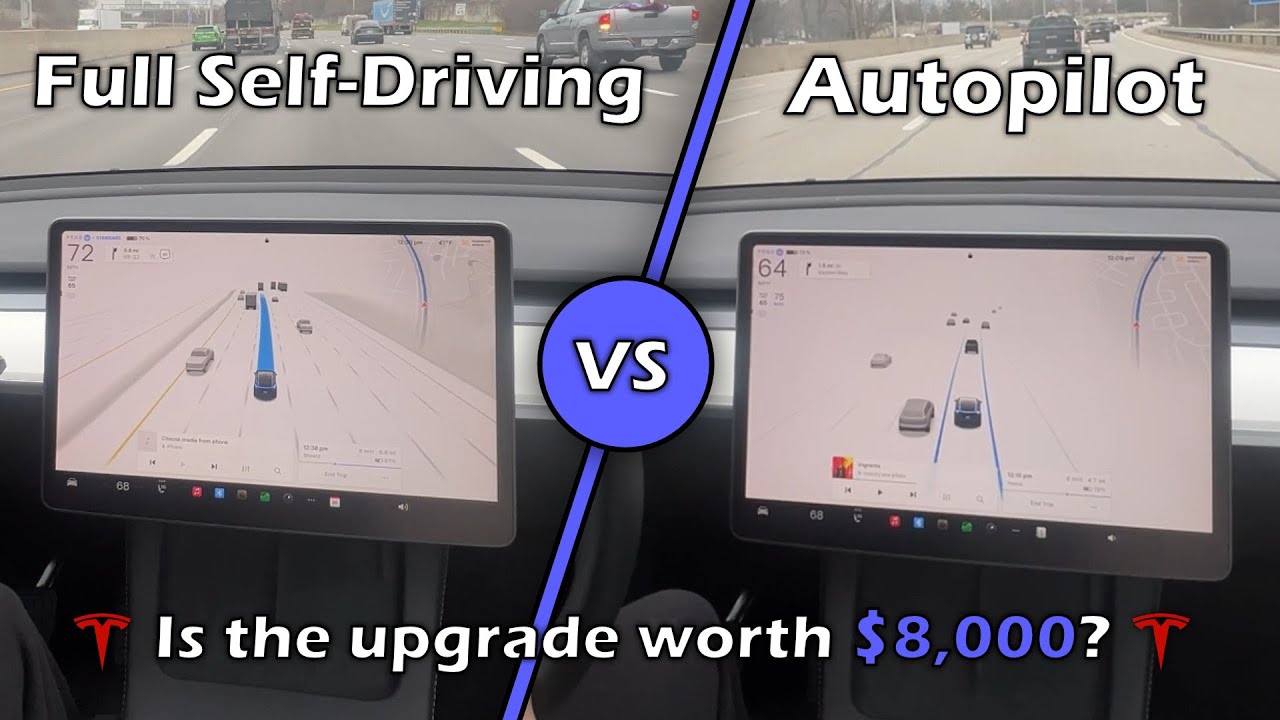
So, you've probably heard about Tesla's autopilot system and their more advanced full self-driving system. But did you know that they are two completely different systems designed to do two completely different things? What are the differences?
We'll go over how each functions, what it visualizes and shows you, the price of both, and more in this video. [Music] Tesla's autopilot system basically is a simple enhanced cruise control system. It has level two autonomy and comes standard in every Tesla vehicle for free.
Autopilot is mainly used on highways because this system will not stop for stop signs or traffic lights. With this in mind, autopilot's visualization looks like this. It is a very barebone showing of what the car actually sees.
It will only show every lane on your side of the road, cars around you, and cones. If you are on city streets, you will also see traffic lights and trash cans displayed as well. The first suble of the autopilot system is traffic cruise control.
You enable this setting by pulling down the right gear stock once or by pressing the right scroll wheel button once if you don't have stocks. With this setting, you keep your hands on the wheel and steer while the car maintains its speed based on the car in front of it until it goes to a max speed that you set. If the car in front of you slows down, your car will slow down, too.
If the car in front of you speeds up or gets out of your lane, your car will speed up. You can see what car it is using as a reference by seeing what car is darker than the others on the visualization. If you start to steer onto a lane line and get out of your lane without your turn signals on, the car will start beeping at you, turn the lane line red on the screen, and if you have the setting turned on, will also steer you back into your lane by itself.
The second suble of the autopilot system is auto steer. This is almost like full self-driving as it will do almost everything for you on the highway. To engage this feature, pull on the gear stock twice or press the right scroll wheel twice if you don't have a gear stock.
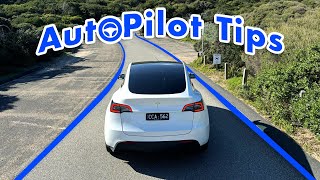
You will know auto steer is engaged if you see two blue lane lines next to your car on the visualization like this. Auto steer will keep you centered in your lane, steer for you if lane start to turn, and keep your follow distance that you set, which means that if you engage auto steer, you're also engaging traffic work cruise control. You still have to give your steering wheel some weight to tell the system that you are paying attention.
If you come to a fork in the road, it will start to go into the center and then choose the lane it can get to the fastest. The biggest thing that auto steer cannot do is change lanes for you. If you want to change lanes, put your turn signal on and steer into the lane you want to go in.
It is important to note that this will disengage auto steer, but will not disengage traffic cruise control. So, you will have to re-engage auto steer after you get into the new lane by pulling the gear stock down twice or by pressing your right scroll wheel in twice if you don't have a gear stock. [Music] Tesla's full self-driving system is one of the most advanced driving systems there is and a level three autonomy system.
Unfortunately, this comes at a cost. The full self-driving software comes in at either $99 a month or $8,000 outright. But there is caution for if you do buy it outright.
Most of the time is not transferable to a new car. So, if you lose that car that FSD is on, you will also lose FSD and have to buy it again for the new car. But if you do upgrade to FSD, you get a new stunning visualization that shows you almost everything that the car can see and a suite of driving software.
FSD comes with new technologies that will make your car be able to drive itself almost anywhere with very minimal interventions. All you need to do to get started with FSD is to enable it in the settings, put in a destination, and then tap on the start FSD supervised button. You can also start FSD at any time by just pressing the gear stock down once while in drive or by pressing in your scrollover once if you don't have stocks.
The car will take itself out of park and drive for you to your destination. No need to keep your hand on the wheel if you don't want to. The camera inside where the rearview mirror is will monitor you to see if you are paying attention at all times.
With FSD, you get navigate on autopilot, which will navigate highways by changing lanes for you when needed, merging in and out of traffic, and taking exits to follow navigation plans. FSD will also recognize traffic lights and stop signs by slowing down for them and stopping if needed. You also get city street driving where FSD will handle city driving by navigating intersections and making turns for you based on your navigation needs.
With this, you also get bonus features like auto park, where you can tell the car what parking spot you want it to park at, and it'll do it for you, albeit very slowly. Auto park can park your car in parallel spots as well as perpendicular spots. Lastly, you also get summon.
There are two levels to this, smart summon and dumb summon. Dumb summon just lets you move your car forward and backward primarily out of parking spaces or at a garage of tight spaces. While smart summon will take itself out of the parking spot and come find you on its own without anyone in the car.
You need to keep a close eye on your car while this is happening and have your finger press on the come to me button for it to keep moving. The moment you let go of the button, the car will stop and put its headers on. For a realworld example, every day after work, I summon my Tesla to meet at the front door of my work to come pick me up.
My home address is already up and ready to go when I get into the car, and I just let my car drive me home while I eat. So, is the upgrade worth it to you? What are the pros and cons of each?
So, it is not worth the upgrade to FSD if you do not want to pay to upgrade to a beta software. Also, if you do mostly highway driving, autopilot does about 90% of what FSD does anyways for highway driving. So, it really isn't worth the upgrade if you just do highway driving.
But it could be worth it to you if you drive mostly on city streets and have a long commute, want to have the boring parts of your drive done for you, or just want to test out the future of driving. So, is it worth it for you? Comment down below because I would love to hear your thoughts.
Thank you for watching. Appreciate it.