I'm tired of paying $1600 a year for all my subscriptions. It's getting out of hand. Well, today I'm saying no more.
I'm replacing every single one of them. And the secret is I'm trying to do it for less than $100. You may be wondering, how is that possible?
Well, it's all thanks to Microsoft. Since they've finally taken Windows 10 to a very nice farm out in the country, there's a secret reason that this is actually great news for us. You see, Windows 10 being end of life means no more security updates.
No more security updates means most companies need to upgrade to Windows 11. And for a lot of companies, that just means buying completely new computers and throwing their old PCs into a ditch. So, there's hordes of perfectly functional Windows 10 computers that are just flooding the market as we speak for a super cheap price.
In theory, I could get one of these and transform it into a self-hosted video streaming platform. That's right. Netflix, Hulu, Apple TV, Paramount Plus, who needs them?
But that's not all. Spotify, it's dead to me. iCloud, never heard of [music] him.
But seriously, how easy is this process? And am I going to regret saying no to my streaming subscriptions? And most importantly, should you try this out, too?
So, the first step was actually finding one of these abandoned PCs to begin with. And that is easier said than done. I took to Craigslist first because I am old and that's where people used to sell things like this.
Unfortunately, the only things anyone is selling on Craigslist anymore are iPhones from 10 years ago and these crazy hoverboard things. I feel like I haven't seen one since kids were still saying sus. That was like 5 years ago.
Next, I headed to Facebook Marketplace and actually found some success there. There were people selling actual work PCs in bulk, but most of them were offering upgrades and add-ons, and I don't know, something about that just made me feel a little bit wary. So, I took my search elsewhere.
I ended up finding some actual computer wholesalers, and they looked way more legit. They also looked way more expensive. But, as I was starting to consider contacting some of these Facebook marketplace weirdos, I remembered the holy grail of marketplaces, eBay.
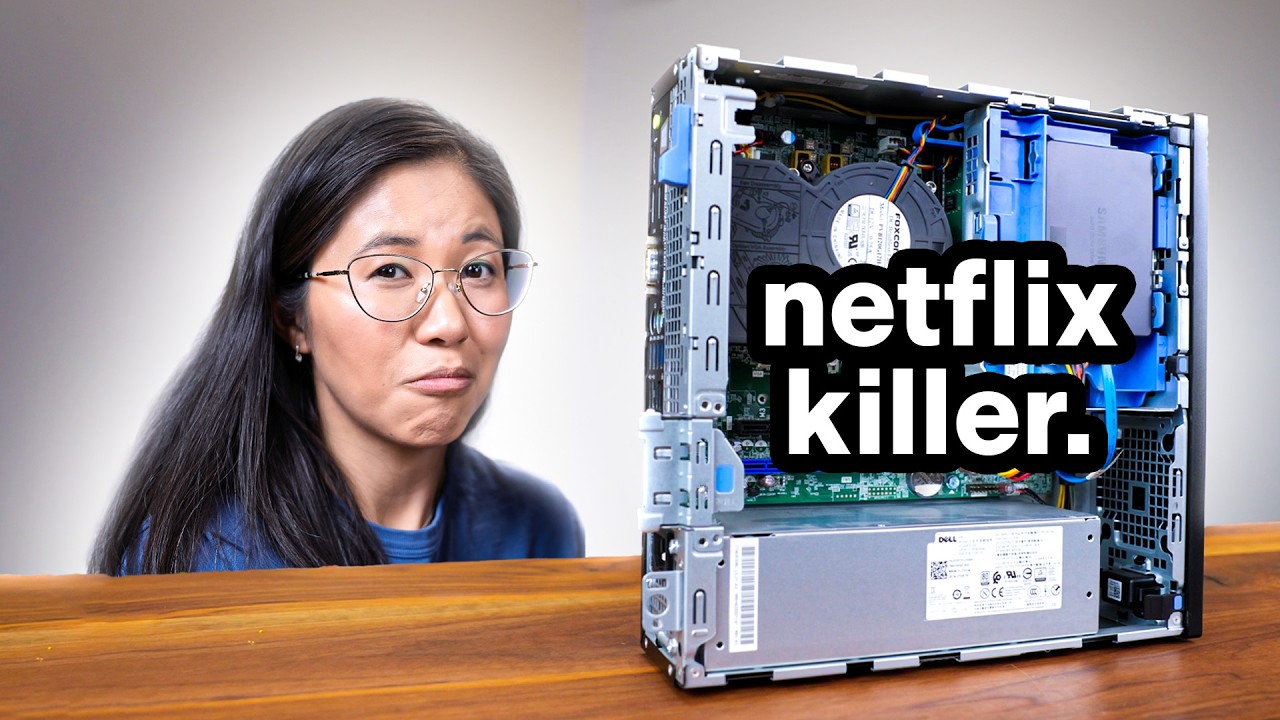
And wouldn't you know, there are loads of people on eBay selling Windows 10 work PCs for super cheap. I found this one for only $55 with a 7th gen i5 processor and 8 gigs of RAM. I'm practically robbing them blind.
If it works, that is. You can clearly tell they bought them in bulk from some business or place that was upgrading to Windows 11 and are turning them for a profit. No normal person just has 50 of these Dell Optiplexes laying around.
Now, I know what you're thinking. eBay gets sort of a bad rap. But the secret sage knowledge big Amazon doesn't want you to know is that eBay is actually great as a buyer.
If you're selling on eBay, it can be a huge pain. But as a buyer, you're given a whole host of guarantees and protections. That means if anything goes wrong, like if your PC smells funky, you can almost always get a refund, no problem.
So even with all these assurances, part of me hesitated to press buy now on an eBay listing. But I had to pick up something or else I would never see if this idea could work or not. So, with that, I scooped up this Optiplex, and just 5 days later, a box had shown up.
I know this looks like a boring work computer, but for our purposes, this little machine is packing. You've got six USB 3 ports, four USB 2, a DVD drive, and three [music] display outs. Okay, sure, I probably won't be connecting this computer to three monitors at once, but that disc drive is key.
If we're going to replace Netflix, we're going to need to rip lots of DVDs. That's right, pirates. This 31-year-old YouTuber still rips movies the oldfashioned way.
That means the only disc this Optiplex doesn't have covered out of the box are Blu-rays, and we'll get to those. For now, though, we'll have to fix the one compromise we made with this purchase. The specific Optiplex listing we bought didn't come with a hard drive.
Most of these that you buy have everything you need inside already, like Windows 10. So having no hard drive here makes me think this was from an old hospital which meant they had to shred the drives for privacy reasons. But that's okay because I'm a tech YouTuber.
Of course I have a spare drive laying around or two or three or four. I have a luck now. I just have to put it into the computer.
I've never used one of these business computers. So I may be in way over my head. Turns out that I was in fact under my head since these machines are meant for mass normal people usage.
They're dead easy to open and the process of installing the replacement drive literally took 60 seconds. It's a toolless setup with lots of brackets. Not bad, Dell.
You know, hunting for one of these cheap Windows 10 PCs has me clicking around way more than I had planned. My decrepit 31-year-old wrists were suffering, which is why today's sponsor Delta Hub sent over the Carbio 2. 0.
This thing is unlike any other wrist rest I've ever used. Most wrist rests just sit there menacingly, [music] but the carbio actually glides with your hands, so your wrist stays in a natural neutral position instead of getting jammed and tightened [music] in one spot. It was designed with physicians to promote better wrist posture during long sessions, which is very appreciated when you've opened a concerning number of eBay tabs trying to figure out which Optiplex [music] is the least cursed.
The soft silicone pads on top feel great. The teflon gliders keep everything smooth, and it's honestly surprising how stable it feels even when I'm jumping between doing jank stuff on my home server. I like how it keeps me from pressing my wrist directly into the edge of the desk, which is a small thing.
But after hours of setting this whole project up, I'm noticing a lot less tension at the end of the day. My wrists feel free and lightweight instead of crunchy and stiff. Ew, crunchy wrist.
I've had mine for nearly 6 months now, and it's held up really well. I got to say, it's a seemingly small upgrade that vastly improves your day-to-day life. You can check out the Carpio 2.
0 know using the link below. And conveniently, it's the time of Black Friday stuff, so make sure you grab up to 50% off. Now, all we need is an operating system.
Now, if the system that you bought still has a hard drive with Windows 10 on it, you could absolutely just do this whole thing as is. As long as you're okay with no security updates, everything should work flawlessly on Windows. But I do care about stalker subscribers not doxing my gym day.
And also, loading Linux means I can make sure the server never goes down. just because Windows decided it wanted to reboot. For this build, I'm using Ubuntu desktop, which is popular and well supported enough that if I end up needing help, which let's be honest, I probably will, I can find help easily.
On the other side, there's Ubuntu server, which is supposed to be more efficient, but it also requires a lot of extra effort, more command lines, more SSH, and yeah, we're just going to do the desktop version, but another day I will take on that server. But thankfully, installing Ubuntu couldn't be easier. I was probably done in a good 5 minutes.
Between pressing buy on eBay, inserting the SSD, and installing the OS, we have only dedicated 10 minutes of real effort so far. All that hard work is about to pay off, too, because it's time to actually start replacing my subscriptions. This is what our journey has culminated into.
Depending on how many you subscribe to, you could easily end up spending around $150 a month on streaming services, which is crazy. Now, I'm one of those people who have only one going at a time, but I know there's people out there who do it all. That's twice as much for one month than we paid for this whole computer.
There are a few options at our disposal to create our own personal Netflix. There's this thing called MB for ease of use or Jellyfin if you really want to get into the weeds, but for this build, we're going to go with the ever popular Plex. I always hear it's super easy to use.
Whether or not that's true, we'll have to find out ourselves. But the main selling point here is that Plex also has a built-in music player, which will come in handy later. And since we use a Linux dro as popular as Ubuntu, that means Plex actually has a native Ubuntu installer just ready to go.
And sure enough, it just worked. For my first time using Plex, I ran into zero issues with the initial setup. It walked me through making an account, setting up a server, configuring settings, and that was it.
I did it. Afterwards though, I had to set up the folders that Plex would look at. And this is where I ran into my first major hurdle.
See, I had created a well organized folder on my desktop to host all my files. One for movies, one for TV, just like the docs say. I do read the docs.
Except when I tried to navigate to that folder and add it to the Plex library, it just didn't show up. It wasn't there. So I asked one of my writers who has a Plex server at home to take a look and he said he'd never seen anything like that before.
So it's probably a Linux thing. So I took to the wonderful world of googling Linux problems [music] and as it turns out it was in fact a Linux issue. So more command line because Plex is installed through a Docker and according to Linux Docker acts like a separate user and that user doesn't have full access to all the files and folders that I'm working with.
The good news, if nothing else, is that it only took me around 30 minutes of googling around to find a very specific Reddit thread with the answer, which if you know Linux, that could have gone way worse. All I had to do was paste in a single prompt, fill in the folder I wanted Plex to have access with, and suddenly the folder showed up in Plex. Hooray!
Now we need some actual files to host. Like I mentioned before, this Optiplex comes with a DVD drive built in, so I absolutely could coast on that the entire project. But I'm a high quality media consumer.
I have a 4K TV. I want to play 4K videos. So, I wanted to take on the challenge of ripping Blu-rays.
One of the nicest things of hosting your own media is that you can watch it uncompressed. Whenever you're watching a show or a movie on a streaming service, they compress it and reduce the video's quality to save on data. But with our files hosted on Plex, we can watch them at original quality.
And where's the fun in having that pristine quality if we're only ripping DVDs at 720p? So, just as a little treat, I ordered a USB Blu-ray drive. Honestly though, it was on sale for $40.
So, the total costs are still only about 100. Now, it's time for the fun part, a field trip to Halfpric Books to buy a bunch of movies. Here we are at Halfp Price Books.
We're going to go in and buy some Blu-rays. Let's go. Come with me.
[music] [music] So, that was a lot more expensive than I thought it would be. It's about $5 to $20 per disc. And if I bought everything I wanted to watch, well, that would have been hundreds of dollars.
Anyways, now that I've got more discs and I know what to do, it's time to start ripping. Before that though, I should probably mention how ripping things work because I had to do a lot of research to figure out how to do it right. For CDs, there's no encryption.
You just toss the CD in, open the folder, and you just drag it into your PC, and that's it. DVDs get a bit more complicated with some encryption. Basically, any DVD drive will handle ripping them, no problem.
Blu-rays [music] get a bit trickier. They are authored with loads of complicated encryption. The good news is you can absolutely get your hands on a drive that can decrypt [music] Blu-rays.
You just have to be careful to make sure you buy one that supports that. But the bad news is some Blu-rays are just super duper encrypted. And unless you buy ultra specific drives and load custom firmware, you're just out of luck.
So, I'm hoping I don't find one of those. I suppose we'll have to wait and see if this specific drive bites us in the butt later. My first instinct was to rip them via this program called Handbreak.
But then I discovered the whole Blu-ray encryption that doesn't work well with Handbreak, and I skipped to something called Make MKV, which is supposed to handle Blu-rays wonderfully. Does it take a bit of time and effort to rip them one by one? Yes.
But this is a onetime deal. After this, I will have these rips forever and ever and ever, even if I stop giving Paramount Plus my money. With a couple test DVDs out of the way, it was time to get to the scary stuff.
Blu-rays. I did a decent chunk of review skimming for this drive. And look at it go.
That's right. It handled ripping this Blu-ray no problem. And the next one and the one after that, I got lucky.
For $30, it was a Blu-ray ripping machine. And check this out. Plex picked up the RIP files once I put them in the corrected folders.
And now I'm watching movies I own on the breakroom projector. No additional setup necessary. I still had loads of these to rip.
But while that was happening in the background, it was time to move on because we're not just replacing Netflix. We're replacing Spotify and iCloud, too. We're saving a lot of money here, folks.
Remember the field trip to Halfpric Books? Well, I didn't just get DVDs and Blu-rays. I got CDs, too.
But not just any CDs. You might think I got popular music, maybe even some Taylor Swift CDs, and you'd be wrong. Instead, I opted for something far greater, far more culturally impactful that will truly utilize our breakroom speakers.
I got Pop and Soul holiday hits featuring none other than the Squirrel Nut Zippers and their hit song, Hot Christmas. No, please hold your applause. I already know my music purchasing skills are impeccable.
Thankfully, ripping CDs is the easiest thing we will do this entire video. The encryption built into CDs is roughly equitable to keeping inmates contained with a do not leave sign. Pop that bad boy in, drag the files to your computer, and that's all.
No software necessary. Now I can listen to Hot Christmas wherever I want. That is one thing I should mention, though.
So, right now, we just have our Plex server set up to be accessible from anywhere in the office. Anything on the same network can access it. But Plex also offers you the ability to set up remote access.
So you can access anything on your Plex from anywhere. All it takes is one port forward in your router and you're good to go. With music sorted, that only leaves one more subscription for us, iCloud.
And I'm going to be honest, I like Apple. I like Macs and I like my iPhone. But I don't like iCloud.
First of all, it's honestly annoying to use. Trying to download a local copy of your iCloud content is so strange. You'd think it was like Linux.
Second of all, it's expensive. You're telling me I got to pay $10 a month if I want more than 200 gigabytes in photos and videos. Depending on your videos, it can be one gig per video.
There are a lot of solutions for backing up your photos to a server computer. I mean, you really could just drag all the photos, slap the files on there, and be done with it. But that's even more annoying than trying to download from iCloud.
So, I searched around and I have found the ultimate software that could do this job perfectly. Introducing Image. image is completely free and open- source and it allows you to host your own iCloud.
Thankfully, not only do they have a Linux version, but they also have documentation that walks you through the entire process. Unfortunately, the documentation includes command prompts. And I wasn't in the figuring out command prompts mood.
So, I did the next best thing. I found a 5 minute long YouTube video that showed me exactly how to install image on Ubuntu desktop. Shout out to Thomas Wild.
You saved me a lot of brain power and for that I will be forever grateful. Sure enough, 5 minutes later and I was in business with the actual hosting software installed. All it took was running through the first time setup and I was ready to download the phone app and try the bad boy out.
This is where many of my life's decisions came crashing in around me a myriad of forks in the road that all led to this moment. Since I didn't go through the process of setting up a dedicated remote URL for the image server, the app was asking me for the server IP. Easy enough.
It's just the computer's local IP. But how do I get that in Ubuntu? I haven't really used it before.
In Windows, you type IP config, but that clearly doesn't work here. So, it's back to Google. Eventually, I looked at images documentation and noticed that I needed to type out the full address.
Maybe that was still it. And still, no. This may very well be the end of the road for my subscription slaughtering dreams stopped by an IP address of all things.
Finally, after about 20 straight minutes of farting around in Iuntu's command prompt, hostn name I just spit out three simple IP address. The first of which was exactly what I was looking for. Sure enough, I plugged it in and the app was working like a charm.
Could this have been avoided if I was on Windows? Yeah. Is it therefore my fault?
Yeah. I mean, I don't know enough about Linux, but still, I was annoyed. But I am glad to report that once the app was actually connected, things just sort of worked.
No crazy tuning necessary. I started by poking around in all the settings, things I could customize. But honestly, settings out of the box were exactly what I was looking for.
By default, it's set to sync whenever your phone connects to the Wi-Fi your server is on. But if you set it for remote access, you can have it sync even with your mobile data. I have about 5,000 pictures and videos locally on my phone, which took about an hour total to sync them all.
But once it did, look at this. All my photos all organized. I can even search by person.
It can play live photos. It's honestly looking like it might be better than iCloud, to be honest. If there's any one sacrifice that's making this transition hard, it's fighting against the digital age.
Nowadays, there are a lot of TV shows that you just you can't buy physical copies of. The times have changed and for an allplex setup, if Netflix decides not to do a physical release of one of their shows, you either have to resub or do some other things. I think it's a worthy sacrifice though because there's a lot that you can do with an extra $1,500 [music] a year.
Now, I definitely went into this video thinking functional PCs being sold for cheap is a good idea. But I think I really underestimated just how capable an old machine and a cheap machine would be. The horsepower and I/IO is impressive [music] enough.
It's got a bunch of ports. It's got a lot of power. Not enough for your main computer, but for a server box.
Some people host these things on a Raspberry Pi. Now, I could host a lot more than this. So, let me know what you want me to do with this thing because I've got some crazy ideas in the future.