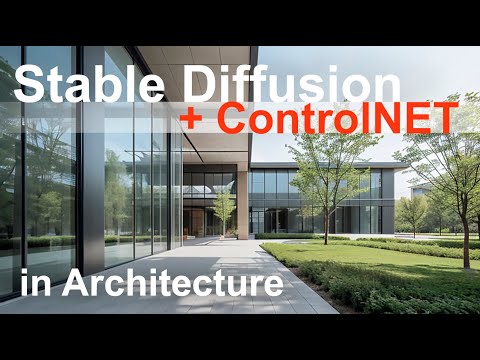
Stable Diffusion ControlNET in Architecture
48.29k views10172 WordsCopy TextShare
ArchViz
📌 My Stable Diffusion Course: https://cadman.dk/stable-diffusion-architecture-course
🛒 My other Co...
Video Transcript:
Hi guys and welcome back to ArchViz. in this video we will take a look on controlNet and stable diffusion and delve into its impact and specifically architecture in the last video we talked about the installation the core functionalities we talked about the different models or checkpoints as it's called in stable diffusion how you will install them we talk about the different panels and the different things you can do the extension we talked about how we could make a prompt and get an image by generating we talked image to image we talked a little bit of
the civit AI browser where you can download your models but this video isn't an introduction to stable diffusion as the last video about that so I will link to that video in the description so you can go to that if you are a beginner at stable diffusion this is a little more advanced video and it's specifically about control net which uh lets us concept develop in a more specific way control net is a function in stable diffusion where you can make additional input that let you better control the output by using outlines sketches poses or
depth maps in this video specifically we will have a thorough look into how we can provide stable diffusion and control net with sketches that are in a specific format of a specific project with a specific geometry and so forth so that we can try to idea generate and make concept development with a more let's say specific aim where we enhances the prompt and the AI generators with some additional input this is particularly interesting for Architects because architecture always is very concrete and very precise it's always contextual and it's just never a random generation remember architecture
also comes with a specific aim or room Pro program so let's just show it rather than talk about it I've made this prompt up here modern minimalistic building clean lines large glass windows surrounded by Greenery sunny day and you can see down here for example we can make another resolution let's just try 900 by 450 there and of course we make it in a specific model up here I like the architectural real mix version 11 that's the one I use but you can obviously use it with all kinds of engines here but let's try this
Engine with this prompt and with this resolution here and let's just try to generate a picture so we can talk a little about what stable diffusion and mid journey and so forth do with these prompts and how we can kind of enhance those pictures and modify them so the first thing here you see here is a very very nice render it's actually quite impressive I would say uh and it's right out of the gate I think maybe 10 seconds or something like that for this so it's a very nice model this we get it in
a Okay resolution for idea generation and concept development but the nature of this picture is just as it is in mid Journey absolutely random we have no control over the perspective this is a very very nice perspective but we have absolutely no control over it if we want to investigate this specific project from this angle over here we have no way to do that so that's a problem also we have no control over the geometry so that's the actual project so the house you see here it's a very very nice project this but it's a
absolutely random generation and it just something that stable diff Fusion in this case but also mid Journey or darly or so forth just randomly generates for us and hope it's something useful and in this case it's very interesting it's a very nice project actually I think this very usable in different context so we can actually try to work a little more with this picture also the landscape plan out here I think it's very nice but it's absolutely random it has nothing to do with a specific uh landscape plan a specific way of treating the grass
and the bushes and trees and so forth obviously the materials we have absolutely no control over the materials I think they are very very nice here actually this uh more warm Stone kind of thing here contrasted by these steel glazed black kind of metal facades and then glass that's just so cool I think it's actually quite a a good first generation I would say but we have absolutely no control over the materials in stable diffusion obviously we have no control over the context you can see the context over here and maybe also you can say
some of the trees on the landscape plan if it's not new it's a part of the context and obviously we have to do something about that we cannot just make a random context because as we know and I've talked about in several videos now the context is more or less the first thing we Architects have a look on and when we are making a project it's always fitted in that context so the context and the project is always integrated in different ways here we arrive here it's important to get a view out maybe in the
sea or there is a great view we have to explore for and form our project around here is a main road we have to screen that here's the park we have to open up here's a good place that we can sit and so forth so the context is the first thing we Architects kind of lean into and analyze that's our springboard for our project always so in a random generation here with the stable diffusion in this project we have absolutely no control over the context also obviously the scale of the house this looks very very
nice this could be I don't know a office building in the suburbs maybe there could be integrated some public functions also but um we have absolutely no control over the scale of the project here we can obviously try to change the prompt so it's a smaller project we can make it larger but we have no control over the scale so that's why we in Prior project went into 3D Studio Max and developed the project from there so the scale and the size of the house is a problem in these image generators stable diffusion as mid
Journey as doy and so forth also the Light Direction specifically in this view I think the light is very very nice again it's a very lucky I would say first generation this but what if we want to explore a lighting from a different angle or what if it was absolutely unrealistic the lighting we see here in the picture maybe we should have the lighting from the other side or something like that it's very very hard to control then these image generators also stable diff Fusion but especially I would say in the mid Journey just the
prompt mid Journey all stale diffusion with let's say the prompt that says side lights so light from the side it sometimes doesn't even take that into account so controlling the light is very very difficult in these AI image generators and obviously all the details in the picture where does the lining go and what about the mountains this is very again it's very very cool to have a structural beam that holds the roof and ceiling up here and then more elegant and slim mountains here with glass in between but we can't have any control over it
it's a very very good sketch here and a a quite nice dimensioned house in terms of proportions and colors and materials this with a cool pavement and a cool par so it's a good project this but we have no control it was just luck uh and so you can obviously go into 3D model of this and model it all and kind of go from there but discussing these AI Tools in terms of idea generation and concept development and have more control we will try in this video to attack AI image generation with focus on how
we can control this and we can do that exactly with control net but as you can see the first generation here we just generated out from uh The Prompt The Prompt modern minimalistic building clean Lin large glass window surrounding by Greenery sunny days so that's the only control we have and then the resolution and obviously this is a very very nice kind of way to have initial idea generations and concept development you can absolutely use mid journey and stable Fusion for that I think both models are very very good now as you can see here
this is extremely useful if you are building in this kind of style and obviously you can train your own models or you can download models that kind of fit your style and so forth also we've discussed if you press this down here you get a specific seat so if you generate again you get the same generation as the first time here so that's very cool we know that down here there is a tab there called Send image and generation parameters to image to image tab so we go over here and we can refine the picture
or the project a little bit there with in paint and so forth if you want an introduction to image to image and in paint and so forth in stable diffusion you can follow the link in the description to my intro course to stable diffusion where we will try that but in this case we will just say okay this is not our project it's nothing we can use specifically let's just say that we have made either a sketch or maybe even a very very crude 3D model in studio Max for example if we jump into Studio
Max I've prepared this model of a project and this is obviously only a project that is made for explaining control net and aable diffusion and as you can see it's very very crude this is the context obviously this is the project the architectural project and this is the landscape plan and this is the camera so we can go into this camera here this is the camera and if you are in studio Max you can up here with camera 001 you can right click and then go to show save frame if that's enabled there you can
go into the uh render settings there and then if you change the render resolution here or the render settings here you can kind of see a safe frame frame that tells you exactly where the image is cropped so down here you can just see the resolution and I've just made it 900 by 450 so that's the specific format that we also used if you go into stable diffusion you can see that's the same resolution here sorry like that so that's just why I did it there and so the big thing about this is that you
can as you can see here change the camera angle and so forth in the 3D model just as you like you can change change obviously the house or the project there you can change the landscape plan just as in a real project there you can change the context you can even somewhat change the lighting we can talk a little bit about that a little later in the video and obviously you can see you can change all the details in the picture here this is just a very very crude model but it is a model showcasing
some kind of details or some kind of idea in this project for example I've tried to make the house materials kind of is gray and then the window openings kind of blue and let's just see how stable diffusion will interpret that also you can see here there's a detail with the mons so it's very exciting can stable diffusion kind of incorporate these details into the render engine or AI generation process that could be very cool so then we just click print screen and we try to only hit the safe frame there and then we have
it down here then we go into Photoshop and then we just make a new and then we paste it and then we go into the image size and then we just resize it to 900 by 450 I think that was the resolution so that's the resolution there this is the screen dump that we will try to feed control net with so we go into the save tab we just save a copy let's just make a save here let's call it for example 17 that's fine whatever and the thing with this is that as we spoke
about before this is an exact view angle we can change the view angle and then we can make a new screen dump and dump it into stable diffusion it's the exact house geometry of our project so it's not a random project it's very very exact this this is the project and we have made this as you remember in Prior project we started with um let chat gbt give us an assignment and then we just solve it and then we started with have these volume studies where we have an entrance of you know 100 square meters
and so forth the room program and then we kind of lay the building very crudely out this could be an example of exactly that where we don't use that much time on detailing and materials and so forth because we're not very sure about all these details we have to have some inspiration but we also know that this is the context this is more or less let's say the entrance this is the view we want to study our project from because this is the most interesting and important view this is the entrance to the building and
we enter the landscape plan here with a kind of a way through here this could be a main entrance here for example so we have kind of a very very exact geometry that has spun out from or has you know been generated out from a room program or an aim of this assignment or this program we have exact geometry both for the house and the landscape plan we have exact context also the house is scal correctly so that this floor down here is scaled correctly in terms of length and Heights and so forth so that
we can update our model and then get other views or make slight iterations over details or maybe minimize a little bit and remove functions and twist this and that and maybe this uh glass box here should be even larger or maybe it should be the whole thing here or something like that that's a very very fast thing to correct in the 3D model and then kind of feed stable diffusion with control net with these updates and get a very fast idea generation that is much more precise than these absolutely random Generations that both mid Journey
Dolly and stable diffusion comes up with so the first thing we do is to jump into stable diffusion again we go down here where you can see the control net here that's a feature in the generation tab there you just expand it you press enable you press the low vram that just is a ram Optimizer you press the Pixel Perfect which means that the control image that feed into the AI process to control the picture a little more precisely it matches the pixels to the resolution up here like one: one also allow preview here and
then just use the canny here we will try to use other control types later on but not in this video we'll just start with the Kenny there and then as you remember we made our image 17 there we just drag drop it in as our control image there so this is our control image image and then we press this little buttom here run a pre-processor and the pre-processor takes this image here and make a preview of how control net interprets this picture here and then this picture over here is kind of put into the AI
algorithm or AI generation of a picture so now you have a situation where you have this render engine up here the real mix version 11 this prompt here and then a control picture down here that guides the AI image generation with this pre-processor preview in the process of generating the picture so that's kind of the idea with control net you can say it's a way to feat the AI generation process with an extra input that guides the output very specifically that's what control net is in a nutshell yeah so down here there's a quite a
lot of parameters we won't go into them right now but what you can see here in the control full mode here you can see there's a balanced my prompt is more important and control net is more important so let's just try the balanced here where make the generation with a balance between this prompt here the modern minimalistic building and the control image down here we can try to play around a little bit with these options down here also you can see down here just use the resize and fill it's not necessary to do anything here
because our image down here as you remembered we rescaled it to 900 by 450 in Photoshop to get this nice landscape format to the picture which is the exact same we put up here so it's Pixel Perfect for the resolution up here so you can just use this it doesn't matter in this situation so let's try to see how stable diffusion handle list just press generate up here and let's see what stable diffusion comes up with in this situation here yeah so you can see here already now you can see it's a very very different
result there's obviously a huge FL in making a roof over all this as you can see here I tried in the generation in here to make the sky more this light blue so that stable diffusion interpreted as a sky but we can obviously try to make it more light I think that could maybe be the problem let's just do that very very light blue something like maybe this that's maybe even not bright enough let's make it a little bit brighter like that and then just save again let's just call it 18 and save yes it's
fine jump into stable diffusion again take our new picture 18 here and drag drop it into the control net control picture there so you can see there's an update with the sky there just run the pre-processor here so you can see how it interpreted and let's just try to run the process again and see how stable fusion with this model and this PR with this control image kind of interprets this yeah and it just keeps giving me this annoying flaw there so remember the classifier free guidance here the CFG scale this is how much creative
freedom stable diffusion has over the prompt so there is a lot of freedom when it's very low and it's very close to the prompt if it's very high so we can try to bump it up a little bit here and see if that makes any difference let's try 10 to kind of remove this very very strange roof it's very very happy for the roof there huh that's a little Annoying let's try to bump it down to one and see what happens yeah that was better you can see here now we have a picture that makes
a lot more sense there and actually if we try to just right click and then copy the image and then you go into Photoshop and then you paste the image it just pasted it absolutely on top of the other screen them because we have the resolution was Pixel Perfect was 900 by 450 exactly so if we kind of turn it off and then on you can see it's reference in the control net image perfectly more or less even the landscape plan here is very very close this could be some concrete sitting bench or something like
that with some Greenery here try to have a look down here how much it fits uh perfectly to the control image it's more or less perfect even the context here you can see the context houses there try to have Focus over here that's the exact context that we just have in our model so you can see this was the screen dump if we jump into 3D Studio Max we can go in here and we can make slide moderations to the context or we can obviously this is done very very fast if you downloaded the correct
context from either Google Map as we have talked about in Prior videos to this how we can import from Google Maps render duct and so forth we can have a much more specific context that actually is the specific context for our specific project so that it fits also try to see how if we go into Photoshop again try to see our generation here how perfectly it interprets both the closed facade there and the open facade there with the blue I painted these blue in the screen D so maybe stabil Fusion have a easier time controlling
what is Windows and what is not so if we turn it on again you can see all the blue areas is actually openings that's actually glass that's cool this is maybe a little bit frosted glass down here that's not so good maybe we can do something about that and obviously we got rid of the floor up over here so this is actually quite interesting huh because we are concept developing we are getting Inspirations from these images just as we did with texture image or in dal or in mid Journey but we are getting it in
a much more precise way where we have let's say just half control we have a lot more control than if we're just generating via a prom we can actually have a somewhat reasonable scaled very crude 3D model and geometry with context models details a landscape plan and so forth and make inspirational renders over that concrete very precise and specific architectural project we are working with and that's a huge leap in the right direction and you can already see here we can try to work a little bit more with it but you can already see here
that what mid journey and stable diffusion was able to do without control net was very interesting but this is even more interesting because we are getting precise and very concrete specific ideas for Concepts and so forth but it's in a little different way also we can if we don't like this let's call it a very boring obviously box concept is very fast done we can kind of start the process by starting in mid journey and and generating images that we are very fond of and then make very very crude 3D sketches on models over the
generation from for example M journey of stable diffusion and then take screen dumps from the exact let's say crude 3D sketches in for example Studio Max or whatever your favorite 3D application is and then take that screen dump and feed stable fusion with control net with that and kind of move the process forward in that way so we have the whole spectrum of possibilities with let's say concept development or image generation from for example mid journey into a 3D application where we can scale it correctly and feed the right context and make somewhat reasonable geometry
corrections to the project then make sketches over that feed stable Fusion get ideas incorporate the ideas in the model again and back and forth so I would say it's a huge leap forward in these AI image generators because it's much more usable in the architectural workflow but let's jump back into stable diffusion again and see okay so this is kind of what you can get out from this you can obviously try to bump around with these CFG scales and so forth and see what is up you can also if you're not satisfied with this if
you can already see now this is not the direction you want to go you can obviously just update the control image here and then make a new preprocessor and then run the prompt again until you are satisfied but let's try to take it to the The Next Step let's just go down here you can see here there's a tab that says Send image and generation parameters to image to image tab we just click there and you can see here we go from the text to image with a prompt and a control image and then we
go into image to image so here you can see just as there was before there's a control net tab down here we just turn that on WE enable it that's the most important here we use low vram here to optimize our video RAM in the generation of this we have the Pixel Perfect enabled there we click this upload independent control image we use the canny control type down here and we use just again in control mode we just use the balance down here again and then resize and fit here and then we take our control
image image 18 there and allow preview yeah and then we run the pre-processor so we can see how control net interprets our control image what lines it feeds the AI algorithm within the process of the generation so the reason why we jumped into image to image with this generation here which we thought was kind of okay is that we have much more control now so now we don't have just a text and then a control image now we have a text an image and a control image and we have some more parameters we both have
the CFG scale here and we have the denoiser strength so remember the CFG scale the lower the the CFG scale is the more creative freedom stable diffusion checkpoint or model has over the prompt and the smaller the D noiser strength is here the more stable diffusion preserves details from the image from this image so the CFG scale has something to do with the prompt the lower the CFG scale is the more creative freedom stable diffusion and this model has over the prompt so if it's very high it'll try to make this very very precisely what
you've written to it and this down here the denoising strength has only something to do with this picture here if this is very low it tries to preserve as many details from this image up here but remember we also have a control image down here that actually is put into the process to control the generation so if we are bumping this up let's say to for example a very high number here 0.9 this model up here don't try to preserve the image and thereby have some more creative freedom in generating materials and so forth ideas
down here so I found that to have a d noising strength quite High here is a good idea and I found that with a low CFG scale here so that it can really have creative freedom with this prompt up here is also good so creative freedom with the prompt very high creative freedom with the picture but use the control image down here to kind kind of steer the lines and make boundaries for the generation I hope it makes sense it's maybe a little bit hard to explain but you can see when I generate here so
now we just try to make a generation again stable Fusion use this model with this prompt and this image with this control image that kind of steer the lines and so forth to be somewhat correct so this doesn't make much of a change here so let's try to bump these a little bit around here let's try to uh make the PR more important here so it doesn't look that much on this picture here it takes the prompt here with very very very high creative freedom and then it uses the control net image to kind of
steer the process and then we generate again yeah so now you can see something is happening this is much much better it's quite insane actually that you can do this like this and as you remember if we just open this now you can see the context is much more refined there's a cool cool idea that we can have this bench with water here and a bench with grass here so there's a differentiating between elements in the landscape plan it even enhances the plan with suggestions of trees over here and so forth it has much more
detailed context here that actually scales quite well I'm very impressed with the scaling of the context in relation with the scale of the actual project and look how it interprets the closed facade with the openings that we have from the blue screen dump from the studio Max model that it interprets very very clearly as glass and then as opaque facade here and then very very open facade down in the ground floor down here with a very very interesting opening we have a very specific view also we are controlling the view also remember that that's a
huge bonus to concept development in a more precise and concise way and we have this opening into the main entrance here also look at how it's bathing this long facade in Sun here and the short facade here is in Shadow that's a very very good way to do it I would do the same with these kind of landscape pictures where you have a long facade and then you have the short facade in the shortening perspective in this case in the right side I would more or less always in a daylight situation have that in Shadow
and then this lit up that's more enticing and you have kind of a light picture with a little bit of dark and and it's also here it's done very well where the contrast between the Shadow and the light facade here is quite large the more contrast you have between Shadow and light the more depth perception is there in a picture which is very important maybe we can have a little more blurry context here and here maybe we can fade that down a little bit so that it draws forward the new project so to speak that's
also a trick we often times use as illustrators what is the actual story here it's about the house it's not necessarily a total realistic merge with the context it's more bring forth what we need to clarify in the story and let us see that very clearly also there is some cool details we have a very very clear perception of depth and refraction into the house and also reflection so let's try to rightclick copy image and then jump into Photoshop and then just paste the image and as you remember we just used 900 and 450 and
then Pixel Perfect so it fits the picture right there as you can see here when I turn it off that's very very interesting it's a little special here it doesn't interpret the control image perfectly but that's very very fast to fix but if you focus on these windows and box in Windows there try to look how precisely it's done there even look at the context over here how precisely it makes an interpretation of that context there and yes I know for example this is not a typical Copenhagen context but we can obviously make that in
Photoshop if that was important but it's very much better than what mid Journey or stable diffusion just randomly produces because the heights are too high and so forth the scale is off so I find this very very interesting that you can kind of have a crude 3D model that you can screen dump and import into stable fusion with control net as a Control process in the generation and then reasonably fast get a quite inspiring result as this this is very very interesting as a more precise concept and idea generating tool in our let's call it
AI Endeavors this is clearly a very very usable tool for us architect moving forward and it will be refined even further remember also another thing if you jump into sta Fusion again just close the picture there we can take this picture now and just drag drop it over here so now we have image to image we have a prompt a new image a much more refined and detailed image again with the same control picture down here so if we make Generations now the model up here takes this prompt with this image and this control image
and make a new generation so you can kind of iterate over New Generation and add more detail and more realism and more kind of features to the project that's very interesting also I find so you can kind of take iterations and add Generations over these iterations to have a more refined result so for example here we can try to make a generation and see what stable Fusion comes up with as you can see here there is not much of a different here actually so we have to change these remember the CFG scale has to do
with the prompt so there's a large degree of creative freedom here with the prompt but so the D noising strength here let's try to bump it up to one here and see if that makes any difference and also down here we can maybe try the balanced so because we have a new picture here so we can try to blend the picture more in the process that the prior ration or the prior generation and see what that kind of results in so now we have a model with this prompt and a new image with these parameters
here that makes this generation here and that's not better this is actually worse I would say so let's try to let's try to bump this down and see what's happened just bump the D noising strength down to zero here that means that it tries to preserve details from the picture here and you can see here it's more or less the same so okay we have to have the ding strength of one let's try to bump this up and see what happens remember this is less creative Freedom with the prompt here so it tries to interpret
the prompt more exact so yeah we got a totally different result now and that's not better now it that made this it's kind of a glass facade here with something behind that's actually interesting some good Reflections here and wooden floor here that's also a good idea I think it's it's not a better image it's kind of the Contours of these boxes are too accentuated I think maybe we can bump it down a little bit to seven or something like that and maybe we can make yeah try to make the prompt again more important and see
how it handles that and just generate and see what happens yeah that's a totally different thing this and that's exactly what we want in an idea generating and concept development phase like this you can see here this is a totally different vibe that's uh more kind of a park Vibe and very interesting again this facade here is not closed I interpret it as glass with something behind you can do that also because if you have so large a facade like for example here you would have to have some possibilities of making openings and so forth
in the building there so in the process here I made some uh rendering uh of camera you can see them here I did exactly the same as we did just there with different kind of results you can see this is very dull this is maybe a little more interesting and then I got this this was a wooden facade and then I got this this I think was very very nice it's may be a little bit more kind of an evening situation that's also another thing if we jump into stable diffusion we can take let's just
try to take this and then change the prompt up here not sunny day but late evening and then yeah that's fine and then jump down here yeah my prompt is more important the let's just make a generation that's actually very very interesting huh because as you can see here the only thing we really changed was sunny day or something like that to late evening and we went from this to this which is very clearly an evening situation with all of a sudden there is light in the house and you have some interesting transparency and so
forth here and again if we copy the picture jump into Photoshop and then just paste the picture there and then and close this and this you can kind of see we are very very close to the initial 3D sketch it does make some changes over here so again we can try to jump into stable diffusion close this take this new generation here and then go down here and set control net to more important so exactly this window here it kind of just got rid of that we can try to make control net more important and
try to generate a correct window there and then just yeah we have to have this on one if it's very low here it takes details from this picture to the new generation so we have to have a great denoising strength so it really Den noises picture up here as inspiration let's take a new generation here and see what happens yeah and that's also very interesting it's not that good of a render now but as you can see the window here is not there and that's because we have used used our control net picture here with
control net is more important so the input from the control net here is much more important in the generation process so we have the right geometry here maybe not such an interesting house anymore here yeah so you can go back and forward with this let's just try to bump the CFG scale down so there is a lot of creative freedom with this let's make a new generation here and see if we can get something interesting that's a little bit dull but it is uh quite a nice generation I would say let's try to work a
little bit more on this let's just drag drop it and then make a new generation there yeah that's not much of a difference there so you can see you can go back and forth here and let's just see we are happy with this this is a good inspiration for let's say we have to make a a little office building or something like this this could be a good start or good interpretation or kind of a concept idea to start the modeling and kind of making the correct scale of the mountains and how do you construct
this and make a decent 3D model with the absolute correct materials and so forth if we go down here in the end paint Tab and just click the in paint we tried that in the prior video also the introduction to this it loads the new picture in the in paint tab so we are in the imageo image generation and then in paint here so if we hold down control and then scroll you can see we can resize the brush there so for example if we want some elements of tree in some of the facade let's
take this facade here for example and what about this facade here so we want maybe tree around the box or something like that let's see how it can maybe handle that so this is the facade there yeah then we just make a new prompt up here which could be warm wooden facade and the negative promt could be glass and steel so we just crop that and paste it there just remove this so we have in The Prompt warm wooden facade and the negative prompt glass and steel because we don't want glass and steel here we
want warm wooden facade so that stab Fusion will take this picture and it looks like glass now but we don't want that we want this yeah so there CFG scale we don't want very much creative freedom we want the prompts to be very clear it's the prompt is much important here so we also go down here and then we on the control net turn enable this my prompt is more important so now this prompt here is very important and we don't want glass and steel this is the area we want to paint in yeah and
we don't want that much creative freedom in the promt either so let's see how stabil Fusion handles this yeah as you can see here that's very very interesting huh it's maybe made a little bit crude facade here but also see how it preserves these boxes there which is very cool you can see it bleeds a little bit into the boxes there and that's about the feather value or you can make a better mask than we did so you can kind of handle these things also I think it's very cool to have this inside into the
building there and then a more kind of heavy facade or box over that that kind of floats on this pillow of light and inside and then this is more opaque and then it have splashes of openings into the house there with obviously glass also see over here it's still glass there because our mask didn't go into that area here I think that's very very cool that you can do these very fast sketches and facade ideas and Concepts it's just like the kind of the region rendering in mid Journey or the AI generation in Photoshop it's
more or less the same I would say this is the best I have seen it's better than mid journey and it's better than Photoshop and again we can try to copy the image here and toss it into Photoshop and we can see it's more or less the context over here is a little bit different but I'm sure we can fix that quite fast as you can see here I work with a prompt off camera here then kind of made some small Windows here I just made a tree facade just as we've talking about and then
I just in paint made smaller selections and then tapped in Windows and so forth also I added some Greenery here because I thought it could be cool to have I have to draw a little here so you can understand that let's say for for example we have a some protection here like that and here to this point here like that and over here like that and maybe even over here like that and then we just fill it with glass then we can take on the shadow side this would be a little bit darker maybe like
that then just a layer Mass curves I like curves a lot just make it a little bit darker like that and just fade it down then we have somewhat a perception of glass there and obviously we have to draw in a door here and here and here so you can enter the rooms there but it's a fast way to have a relatively fast and more precise and concise specific concept development process that is very Visual and that's what architecture is at least in the concept development phase and that's very very interesting I think very interesting
also if you want to to make a more precise render from this stage here you can obviously try to scale all this up my experience with that is that when you scale it up it's not as fast if you are working with Concept and concept development idea Generations it's it's quite important that it's very fast the model you work with and you have a kind of a flow in the images so you can move forward in a fast way but you can move it up let's say to 169 or a resolution about maybe 2,100 or
something like that to kind of move it forward in a little bit more um high resolution to get more details in the concept development but I will say that from this stage you have to work with the model the 3D model so you can apply exact materials and exact geometry details and so forth and move forward in a more classical way with the normal rendering workflow and so forth that's the obvious way to do it also if you want to exchange with other that you work with it's very important to have this 3D model reference
that goes around to different co-workers and so forth also remember this was the very very crude model I have try to imagine if I made a model of this with glass and some furniture and a wooden facade and these details with the different materials here and glass protection up here and a little edge up here with sink or something like that that level of detail and then screen dump that and then again put it into stable diffusion and get a new generations of details maybe and then finalize kind of the model from the inspiration you
got from that sketching there that it's a very very interesting back and forth process between classical cat or modeling tools sketching and AI image generating tool in stable fusion with control net it's very very interesting I would say and it's a new way of make idea generation and concept development in a much more precise and concise and uh quite frankly usable way because mid journey is for example you're blown away and a child can run in from outside and make a prompt and make a absolutely insane picture but that picture has nothing to do with
an actual architectural project or rendering we have to take it from this stage to actual modeling actual generation of lighting and textures and so forth because that's another thing I won't dive too far into that in this video here but lighting and so forth in this it's obviously not correct also the refraction is obviously not correct and the reflection is obviously not correct and sometimes in stable diffusion it's very hard to you know make this area for example the same pavement and this and so forth so there comes a time and it comes quite fast
I would say where you have to move into classic workflow of making a model texturing rendering set the light at the right spot and so forth It's just lighting is just as the context always precise and contextual and so forth you have to have the correct lighting and make realistic Sun diagrams and realistic Sun situation because maybe some of the context cast Shadow into this area and so forth you cannot just lie about that so again I would say it's absolutely fantastic in idea and concept development and especially if you can Shuffle around from a
3D modeling tool into AI image generating tool and back and forth like that that's an amazing new workflow I would say very very very useable also I want to show you this is kind of the the sketch uh I made it started with this here actually I went into mid journey and made you know Interiors of different Architects and as always I end up with making Interiors of Daniel liis skin and I found this very um interesting render I think it's this here so I can kind of show it to you yeah exactly this was
the render from uh mid journey and you know as mid journey is just absolutely fantastic so I just took that render there and I popped it into Photoshop and then I just made the opacity lesser and then I just made these lines so we have kind of this sketch here this is a very very good sketch huh already there it's a very very interesting kind of cave room or something like that a church or something like that with the you know the alar up here or something like that very cool but then I just made
this opacity I just turned it down and then made this sketch here so I more or less just had this here and then I just as I did in the prior kind of made the holes light and then the geometry the opaque materials more solid color like that a gray color like that and then I merged it and then I just went into stable diffusion here image to image with a prom toss we can try it it was this one here I think like that we have to go to image to image excuse me and
then this there and then the negative prawn was just gone I think the pr was something like this modern minimalistic interior wooden walls large glass windows sunlight beams in and then the CFG scale that's fine that's fine and the control image we obviously have to have the control image there enabled low vram Pixel Perfect allow preview upload Independence picture just make a generation so it'll input this into the generation so remember maybe we can have yeah my prompt is more important that's fine so it takes this prompt with this image with these settings and this
control image and made a generation we can try to see how how it looks and try to uh be aware of how fast this is going it's absolutely amazing you can do it this fast try to look at that image that's insane that's so inspiring and it's not just some random generation random geometry Maybe random architecture it's actually maybe the scale is off here but it is an absolute interesting and inspiring picture if we jump into Photoshop again and we just paste the new obviously the the scale is off now which little bit awkward but
yeah you can see here the the geometry is absolutely inspired by the geometry we had there so that's amazing that was how I generated that and then I got this generation there and I just Photoshopped it a little bit I made some Ms and a little bit of Reflections there I popped in some humans and made some concrete there and so forth and yeah that's amazing it's absolutely amazing that you can have a concept development in such a fast way there that's very mindboggling and it is uh interesting new possibilities in the workflow and the
especially in the idea and concept development phase I would say they also made other Generations I think that's very cool that's insanely cool that's very realistic in a way it's only these black contour lines but we can obviously remove them if we if we want to or you can even make them thinner I found that this generation down here it's very important that these lines here are very thin if you make thick lines it kind of goes through the process and is put into the final picture and generation also which is a little bit annoying
so they have to be very thin the contour line that made them very very thin maybe even thinner than this you can try to experiment with that also I made that that's insane that's also very very interesting an interesting room and then this this is amazing I think there's kind of a very very interesting realism in the lighting in this I find I think the ambient light in this is very interesting the only giveaway that this is a crude render and an idea generation from an AI image generator is the black contour lines as I
see it a very very inspiring render this super interesting new tool I would say also another experiment I did was I made this render in stable Fusion I don't remember the prompt but obviously it was an office interior but I made as you can see here if I just make this opaque a little bit you can kind of see I made the lines here drew the lines here over the picture so I I have this underlying picture here made a new layer like that and then I just painted over that and then I used the
kind of the lines that I liked in this room for example this column here like that and and the kind of the main perspective lines and so forth I just made kind of that drawing here then I got this room here and uh it's just to to say that if you see for example a cool render or a cool image uh you throw it into Photoshop or something like that and you just increase the transparency and then you just make a new layer and draw over it and then you all of a sudden you have
this picture here it's another way to sketch architecture and rooms and so forth projects get inspiration from something make a line drawing out of that over that we can try the process here save the picture just the contour lines here let's call it for example 19 like that save jump into stable diffusion just take the new picture there throw it into this throw it into control net there make a preview yeah modern minimalistic interior wooden walls large glass windows maybe we should have something like office interior like that and then make the yeah the prompt
is very important important large degree of freedom in the prompt and then yeah let's try to make a generation there and see what it comes up with as you can see here that's a very very almost a line drawing a line sketch let's try to bump up the CFG scale and see if that changes anything yeah that changes everything here it looks more at the prompt it has not so much Freedom here so it really takes a minimalistic office interior here and as you can see here that's just interesting an inspiration and again you can
toss it over here and then you can make iterations over it again with the control image down here so it's still the same kind of lines and perspective that holds the picture there and you could get a new interation here I think that's very very interesting this this is almost like kind of Japanese kind of design style here to this picture here very very interesting also obviously if we jump into Photoshop there was a possibility to yeah let's just take a new new let's just make a clipboard let's just maximize it and what's the resolution
here uh let's just make it 900 by 450 and then upscale and then draw again with a very very thin line here let's just make very very crude sketch here it's not good let's just make it that's a very very fast sketch this like for example this and then just save it let's call it 20 jpeg save jump into stable diffusion close that let's move this up throw it into there throw it into the control net make a preview prepress a preview let's make a promp for example I've made this prompt off camera modern minimalistic
architecture cloaked in light textle in the evening let's see what's up yeah isn't that insane that's absolutely insane this maybe we have to take a balance let's try a balance there yeah that's that's insane there wow I mean what that's such an interesting picture let's just puppet over there and then let's generate again yeah insane this I mean this is very interesting also huh so you can kind of copy that and just to see if we paste it over our sketch you can see it's very integrated in the line we already have here that's very
interesting you've seen kind of the you know the old school Architects the Old Masters kind of make these very very fast sketch drawings and then the the house is kind of you know the Opera is made upon those very small sketches and here we are we just have to model this and make classical rendering obviously of this um in a higher resolution and then we are there also I found another interesting little experiment if I can find it yeah I think it was this sketch here this is called 16 let's just try to go into
stable diffusion again just to make this final little try yeah like that and then again like that and then generation and then generate yeah in a way we can go on and on and on it's very interesting very cool new ideas to workflow in the idea and concept development department and so as you can see here it is very interesting if we have to conclude anything this will make an impact in the architectural sector in the idea and concept development phase I have absolutely no doubt about that it is very important that you are very
proficient in these tools also because it will be a shuffle between AI image generators like do mid Journey stable diffusion with control net into Photoshop into 3D Studio Max with communication with the client with the room program with our competition program and so forth and back and forth so it's an interesting new tool in the workflow and for example in um competition or as we also have spoken about in mid Journey where you can kind of paste this whole competition program into uh The Prompt and get get some initial ideas and then sketch over them
and throw them into kind of stable diffusion and throw them into Studio Max and then screen them from Studio Max into stable diffusion again and I mean the workflow and the throwing all these sketches between different application is very very interesting and it's a very very inspiring workflow and a quite fast way to get from something concise and precise room progam an idea and so forth into something very concrete and actual in a 3D kind of sketch model and then go more kind of classic from there I think it's a very very interesting new um
addition to the ever expanding toolbox as Architects yes but okay let's wrap the video up here if you enjoyed the video please give it a thumb up leave a comment below and don't forget to subscribe also check out my previous videos on stable Fusion if you haven't already I'll provide a link in the description so you can follow along take care and I'll see you in the next video.
Related Videos

40:30
Midjourney v6 in Architecture: Beginner’s ...
ArchViz
5,442 views
13:38
How this Architect 4X’d His Income
30X40 Design Workshop
93,093 views

21:37
ComfyUI Tutorial Series: Ep09 - How to Use...
pixaroma
62,604 views

Sweet Bossa Nova Jazz Music & Ocean Wave S...
Bossa Cafe BGM
3:23:18
AI-Driven Design Practice – Stable Diffusi...
Parametric Architecture
54,152 views

4:57:25
Music for Deep Intense Focus of Work and L...
Uplifting Brainwaves
136,395 views

26:52
Andrew Ng Explores The Rise Of AI Agents A...
Snowflake Inc.
852,098 views
![Instant Energy Boost ☕️ [upbeat lofi / productivity mix]](https://img.youtube.com/vi/LhCXGVW8-CU/mqdefault.jpg)
3:01:51
Instant Energy Boost ☕️ [upbeat lofi / pro...
Chillhop Music
771,579 views

Healing Forest Ambience | 528Hz + 741Hz + ...
Healing Energy Frequency

19:46
Trump on Upholding Constitution: "I Don't ...
The Daily Show
4,323,584 views

LoFi Chill Beats – 24/7 radio for studying...
I LOVE LO-FI chill beats for studying & relaxing

37:51
PromeAI in Architecture: A Midjourney & St...
ArchViz
5,233 views

3:22:50
Forest Cafe Jazz Music | Morning Tranquill...
Tranquill Jazz Melody
8,161,795 views

14:34
PromeAI in Interior Design: Practical Use ...
ArchViz
1,753 views
41:52
#71 - Pablo Zamorano Mosnaim - Heatherwick...
Parametric Architecture
1,554 views

Healing Forest Ambience | 741Hz + 432Hz +...
Healing Energy Frequency

25:35
Lawrence: Canada's PM humiliated Trump tod...
MSNBC
1,107,686 views

23:59
PromeAI + Photoshop: Mastering Interior De...
ArchViz
1,138 views
![The Best of Chillhop 🏆 [lofi hiphop mix / instrumental beats]](https://img.youtube.com/vi/IU3yBo2szD8/mqdefault.jpg)
10:01:26
The Best of Chillhop 🏆 [lofi hiphop mix /...
Chillhop Music
312,245 views

3:27:15
Electronic Music for Work - Deep futuristi...
Chill Vibes Music
389,272 views