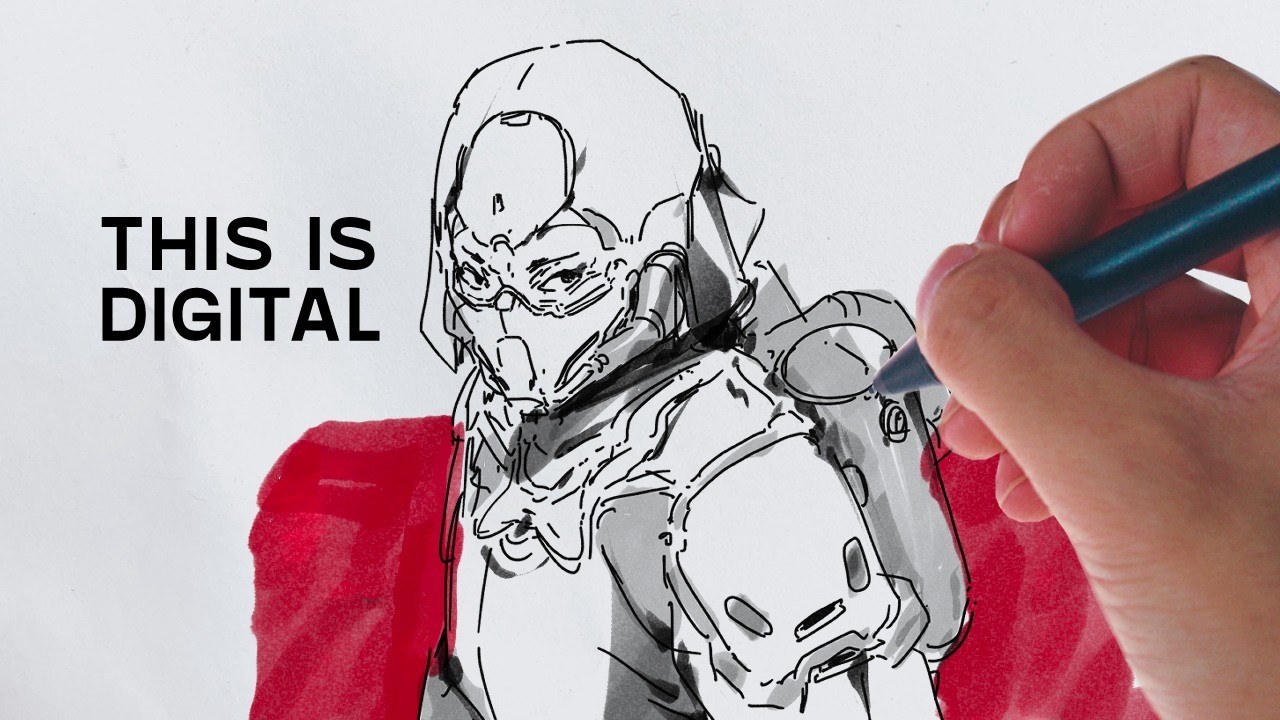
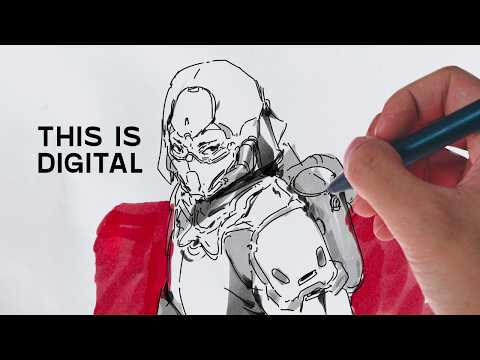
this video is brought to you by clip Studio paint I love drawing in pen and paper it's my favorite thing to do in the world but here's the problem 99% of what I do is digital it's just part of the job so here's what I'm going to do I want to make drawing digitally feel like pen and paper I'm going to be recreating all my traditional tools digitally in clip Studio paint so that whenever I'm drawing for work it feels like I'm drawing for fun first let me introduce you to my tools first up is
the pilot Hightech C4 it's my Desert Island pet my go-to there are many like this but this one is mine I'm drawing some sample lines which I've scanned into my computer to use as reference so I scanned my lines and now I'm going to try my best to recreate it in the custom brush engine in clip Studio paint there's so many different settings in here that you can practically create any brush you can think of the one thing I want to get right is the velocity of the pen I want the ink to pull a
little bit when I hold it still as if the ink is absorbing into the paper for those of you who are unfamiliar clip Studio paint is a software for making digital art clips paint is made specifically with artists in mind so there are features in there that help you make better art from concept Arts to manga and web tunes and for me animating I personally love doing a lot of line art heavy stuff in clip Studio paint because I think it just looks the best and it's also the easiest to work with so if that
sounds good to you and you want to check it out there's a link in the description below to try it out for free on any device uh next up is is a brush pen this is the Pentel color brush replicating the feel of this is going to be an important factor I use it for both line drawing and filling in larger black areas in my other drawings and if you look really closely at the scan you see that there's some texture to the ink which I find very appealing so I really want to make sure
I get that right okay check this out I think I've done a pretty good job and I even got this texture it's so good it's so good okay I'm getting carryed away um so before I even go on to the other tools let's just try and make a drawing with just these two brushes um and see what that looks like I'm just really excited honestly to just start drawing with these so um let's do that so here I'm using the 3D model function of clip Studio paint where I can just drag and drop in a
3D model from my library and then from there I can just shape and pose the figure however I want and also adjust my camera angles so I can use as a reference to draw over this is really great for me because I am particularly not very proficient in human anatomy so it's nice to just not have to worry about that and then work on Purely the design of this character so the jaen is basically what I use in 90% of the drawings that I do on paper and I'm hoping that's the same case for digital
as well so it's really important for me that this especially this one felt right and also also looked right later I used the brush pen to just fill in some Dark Shadows some cast shadows and little ambient occlusion spots in the drawing and also I used it in Gray ink because it's digital you can change it to whatever color you want and then just shade in some darker parts of the character can I just say that this is a very uncomfortable way to draw I'm give me some credit POV you're using YouTuber trying to get
closeup Boll content okay it's time to introduce you to my next tool the twisp Eco EF this is a fountain pen with an extra fine nib the main advantage this has over the high-tech is that it is a little bit thicker and I can use whatever ink I want in it the inks that I particularly like using are lighter color inks because I love the way pools and shades in certain areas so that's something that I really want to recreate in clip Studio paint before I got started on this next drawing I actually use the
pencil tool in clip Studio paint to do a preliminary sketch I didn't feel a need to recreate anything because first of all I don't really draw in pencils and second of all the pencil to in clip C pain is already really good one thing I really like about the pencil tool is that it has tilt controls so when I tilt the stylus it creates a different kind of line like a real pencil [Music] does for the lineer of the next drawing I use a blue ink which I like it's my favorite color of ink to
draw in and it shows off that lighter color ink on paper look that I was talking about and to be fair I think I did a pretty good job of recreating that effect another thing that I wanted to recreate is the effect of the ink getting darker as you layer more more Strokes on top of each other which sounds like a trivial thing but I find that that it's something that is very often overlooked so obviously one of the biggest advantages of working clip Studio paint is the ability to undo and redo your lines and
also free transform them and warp them and stretch them in ways to get it to be just right however I do want to stay faithful to my traditional way of working so I try to do that as little as possible but it's nice to know that you have have the security of having that as an option and last but not least the dip pen more specifically the browse 361 nib it's the um the pen that I use the most and I really really love the way it feels and looks I painted a custom shape for
the brush because there's a specific texture in there there like a little bit of graininess to the edge of the line that I want to try and replicate and obviously the feel of the pen is very important there's a certain bounciness to the nib and the line variation that I want to make sure that I get as accurate as possible for the few part it's going to be really something specific to my tablet I'm using an XP pen arti 16 um and if you're going to download the brush pack and use it for yourself you're
going to have to go into the pressure sensitive curve and adjust it to suit your liking but that's the thing I like about clip Studio paint is that it is so flexible that you can customize it to suit whatever your needs are so I really love using this dip pan for the organic shapes so for this particular drawing I'm looking at the cables it has a really nice feel to it and I think it just softens out the drawing a little bit and lastly I just shaded it in again with the brush pen to in
Gray ink here's the last thing I want to do with these digital brushes I have with me here this drawing um on my Sketchbook that I think is really cool but unfortunately I ran out of space to to finish up the rest of the character so what I'm going to do is I'm going to scan it and then bring it into clip Studio paint and finish up the rest of this drawing using the digital equivalent of the tools that I use to draw this guy after scanning the drawing into my computer I did some adjustments
just to clean up the scan and prep it for drawing clip Ste pain is awesome there's so many functions in here that I just thought to myself why hasn't anyone put this into a program just yet and one of them is to convert brightness to opacity which means that if you have a black line art on a white paper you can actually extract your line art out onto a transparent layer so you can paint underneath your line art layer which is something that I've been wanting as a function for so long and now I have
it so the primary line art 2 I use here is the fountain pen in blue ink so I tried my best to match the color of the original blue ink which is a little bit difficult because of the noise generated when you're scanning an image so I just tried to match it as close as I could and I think it doesn't really matter too much because you can always make adjustments after the fact using image correction like levels or human saturation overall I'm really happy with how these turned out these brushes are going to be
a GameChanger for me and I'm really excited to try using them in my professional work I think it's just going to make drawing more fun and natural and yeah I think ultimately that's the goal for me which is to bridge the gap between my physical drawings and my digital drawings because sometimes I don't know if you feel this way but when I make a digital drawing it feels so different to what I could do and make on a piece of paper so I think this is a step in the right direction a big thank you
to clip Studio pain for sponsoring this video if you like to try out any of the brushes that I've made made in the video there's a link in the description for you to download it so go check it out and if you do end up making stuff with it I would love to see it so tag me on Twitter or Instagram are there any tools that you like to see recreated in clip Studio paint and if so let me know in the comments down below thank you for watching