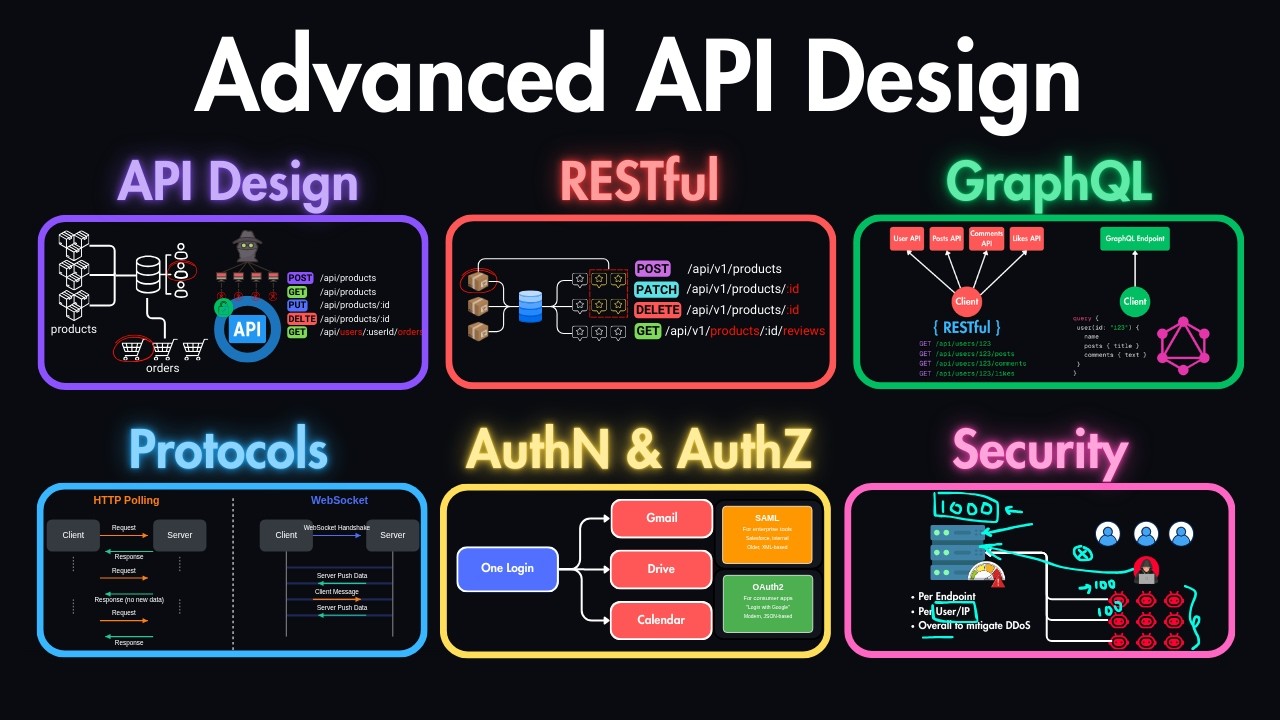
In this course, you'll learn the API design skills that separate junior developers from seniors. Most developers only know how to build basic CRUD APIs, but they don't really understand how APIs work behind the scenes, like when to choose REST over GraphQL, or when to choose rich protocol like HTTP, websockets, messaging protocols, or how to apply security practices. These are exactly the things that senior engineers get asked in interviews and the same principles I've applied myself while working on real world projects. We'll go through the API design principles, protocols, restful and craft API design, authentication, authorization
and security practices. So everything you need to know to go beyond the basics and think like a senior engineer. If you're stuck in junior to mid-level roles and want to land senior salaries, then this is the knowledge that will help you get there. Welcome to this section where you will learn the fundamental principles of API design which will enable you to create efficient, scalable and also maintainable interfaces between software systems. Here is what we're going to cover in this lesson. We'll start from what APIs are and what is their role in system architecture. Then we'll
cover the three most commonly used API styles which are REST, GraphQL, and gRPC. We'll discuss the four essential design principles that make great APIs and also how application protocols influence the API design decisions. We'll also cover the API design process. So starting from the design phase to development phase to deployment. So we'll see how that process looks like. So let's start by understanding what is an API. API stands for application programming interface which defines how software components should interact with each other. Let's say on one side you have the client which is either the mobile
phone or the browser of this user and on the other side you have the server which will be responding to the requests. So API here is just a contract that defines these terms which are what requests can be made. So it provides us with an interface on how to make these requests meaning what endpoints do we have what methods can we use and so on. Also what responses can we expect from this server for a specific endpoint. So first of all it is an abstraction mechanism because it hides the implementation details while exposing the functionality.
For example, we can make a request to save a user data in this server, but we don't care at all about how the logic applies behind the scenes inside of this server. So, we only care about the interface that is provided through this API and we only use that endpoint and we store the user without even knowing about the implementation details. And it also sets the service boundaries because it defines clear interfaces between systems and components. So this allows us to have multiple servers. We can have one server that is responsible for managing the users.
We can have another one that is responsible for some other records. Let's say for managing the posts and so on. So this allows different systems to communicate regardless of their underlying implementation like client browsers with servers or servers with another servers and so on. Now let's focus on the most important API styles you will encounter during the design phase. These are RESTful, GraphQL, and gRPC. The most common one out of these is REST, which stands for representational state transfer. These type of APIs use resource-based approach by using the HTTP methods as a protocol. One of
the advantages of REST APIs is that they are stateless, meaning that each request contains all of the information needed to process it and we don't need any prior requests to be able to process the current request. And it uses the standard methods on HTTP protocol which are get for fetching data, post for storing data, put or patch for updating data and delete for deleting data. So based on its characteristics, the rest is most commonly used in web and mobile applications. Next, we have GraphQL, which is the second most common API style after the REST APIs.
GraphQL is a query language that allows clients to request exactly what they need. This means that it comes with a single endpoint for all of the operations and we can choose what we are expecting to receive from this API by providing the payload in the request. And the operations here are called query whenever we are retrieving data or mutation whenever we are updating data. So this is the equivalent in put or patch or post in the restful APIs and there is also a subscription in operations which is for realtime communication. The advantage of GraphQL APIs
is that it allows us to have minimal round trips. Let's say we need some data that in restful APIs we will need to make three requests to get all of this data. In GraphQL case we can make a single request and get all of these data avoiding the unnecessary two requests that we will otherwise have to make in RESTful. And because of that this is the recommended option for complex UIS. So wherever you have some complex UIs where on one page you might need different data on another page you might need some other complex nested
data. In these cases, GraphQL is the better choice over restful APIs. And the last option is gRPC. I would say this is the least common one out of these three. GRPC is a high performance RPC framework which is using protocol buffers for communication. The methods in gRPC are defined as RPCs in the protoiles and it supports streaming and birectional communication. This is an excellent approach for microservices especially and internal system communication as it is more efficient when you're working between servers compared to graphql or compared to restful APIs. So the difference between rest graphql and
gRPC APIs is kind of clear but let's also clarify the real difference between rest and graphql APIs on examples. So as you saw rest comes with resource-based endpoints. For example, here if we take a look at these requests, you can see that the resource here is users. So you always expect to see some users endpoint or some followers endpoint or let's say posts endpoint. So it is resource-based and sometimes we might need to make multiple requests for getting the related data. As you can see here, we need let's say the user details, but we also
need the user posts and followers. So in this case we need to make three requests to get all of these data and it uses HTTP methods to define operations. As you can see these are HTTP endpoints and we are using the get method specifically and the response structures are fixed meaning if you got one response for this specific user. Next time you can expect to have exactly the same response structure. Maybe some data will be modified but the structure always remains the same. And it also provides explicit versioning. So as you can see it comes
with vub1 for the v1 API then later if it got a major upgrade then this will become v2 and so on. And you can use the headers on the requests to leverage the http caching on restful apis. Now if we compare that to graphql apis it comes with a single endpoint for all operations. So mostly it is /g graphql or slash some API endpoint that is commonly used for all operations and in this case we will use a single request to get the precise data that we need and we will use the query language of
graphql. This is what the query language looks like. As you can see we start with a query and then we define what we need. For example, we need the user with ID 1 2 3. Then we need the name of the user, the posts and then we define whatever we need from the posts. Maybe we need only title and content and nothing more. And also the followers and what we need from followers, maybe only names. So this allows us to be more efficient in our requests compared to restful APIs where we will need to make
free requests for this same data. This means that client needs to specify the response structure and in this case the schema evolution is without versioning. So here as you saw it is with v_sub_1, v2 and so on. In this case the schema usually evolves without versioning. But there is also a common pattern to start versioning the fields. For example you can have followers v2 and that will be the second type of followers schema. But you can also go without versioning. So you can just start modifying the followers or posts if you are sure that there
are no other clients using your old API and in this case you can leverage the application level caching instead of the HTTP caching. Now let's discuss the major design principles that will allow us to create consistent, simple, secure and also performant APIs. Ultimately the best API is the one that we can use without even reading the documentation. For example, if you saw the previous endpoints in the users you see that we have / users/123 and obviously we are expecting to get the user details of this specific user. And if you make a request for example
to that endpoint to fetch user details but then you find out that it also updates some followers or something while making this request then obviously that is a very bad type of API as we didn't expect it to do such operations. So first of all the good API should be consistent meaning it should use the consistent naming casing and patterns. For example, if you use camel case in one of the endpoints, let's say you have user details and you do this in camel case, but in another case you do it with a skinnate case like
user/details, then this is not common and this is not consistent. The second key principle is to keep it very simple and focus on core use cases and intuitive design. So you should minimize complexity and aim for designs that developers can understand quickly without even maybe reading the documentation. And simplicity again comes down to this which is the best API is one that developers can use without even reading the documentation. Next obviously it has to be secure. So you have to have some sort of authentication and authorization between users. Also, if you have inputs, then you
need to make sure that these are validated and you should also apply rate limiting. So, these are the most basic things that you have to do to keep your APIs secure. And the last pillar is performance. So, you should design for efficiency with appropriate caching strategies with pagination. If you have a large amount of data, let's say thousands of posts, you don't want to retrieve all of these whenever they make a request to get the post. So you should always have pagination with some limit and offset. Also the payloads meaning the data that you will
send back should be minimized and also whenever possible you should reduce the round trips. So if you have the opportunity to send some small data along with the request of one of the endpoints then it's better to do this if you know that you're going to use it instead of making another endpoint for making a request to get the same data. Now each of these APIs use different protocols and we will learn more about these in the next lesson. But basically your protocol choice will fundamentally shape your API design options. For example, the features of
HTTP protocol directly enable restful capabilities. So it makes more sense to use HTTP along with restful APIs because it also provides you with status codes and these are great to be used with crowd operations that you will have in restful APIs. On the other hand, web sockets which is another type of protocol enable realtime data and also enable birectional APIs. So this can be used along with realtime APIs wherever you need some chat application or some video streaming. This is a good use case of websocket APIs. In case of graphql APIs, you again will use
the HTTP protocol instead of websockets or gRPC. GRPC on the other hand can be used along with microservices in your architecture to make it faster compared to HTTP. So your protocol choice will affect the API structure and also the performance and capabilities. Therefore, you should choose it based on its limitations and strengths and the one that makes more sense in the type of API that you'll be developing. Now, let's discuss the API design process. It all starts with understanding the requirements, which is identifying core use cases and user stories that you will need to develop.
also defining the scope and boundaries because if it's a huge API then you probably won't develop all of the features at once. So you should scope it to some specific features that you'll be developing and also what are out of scope for now. Then you should determine the performance requirements and specifically in your API case what will be the bottlenecks and where you need to make sure that it's performant and you should also not overlook the security constraints. So you should implement all of the basic features like authentication, authorization, the rate limiting but maybe some
more stuff depending on the API that you'll develop. When it comes to design approaches, there are couple of ways to go about it. The first one is top-down approach which is you start with highle requirements and workflows. This is more common in interviews where they give you the requirements on what the API will be about and then you start defining what the endpoints will be, what the operations will be and so on. But there is also the bottom up approach which is if you have existing data models and capabilities then you should design the API
based on this. So this is more common when you're working in a company and they already have their data models and capabilities of their APIs. So you should take that into account when designing the API. And we also have contract first approach which is you define the API contract before implementation meaning what the requests should look like and what the responses should look like. And this is more similar to top-down approach and this is also commonly used in interviews. When it comes to life cycle management of APIs, it starts with the design phase where you
design the API, discuss the requirements and the expected outcomes of the API and only after that you can start the development and maybe local testing of your API. After that you usually deploy and monitor it. So you do some more testing but now on staging or on production. But then it also comes the maintenance phase. And this is why it's important to develop it with keeping the simplicity in place. So it will be easier for you to maintain or for other developers to maintain in the future. And lastly, APIs also go through deprecation and retirement
phase. So some APIs eventually get deprecated because there might come up with a new version of the API that you should use. Or let's say you are transitioning from v1 to v2 API. So that's also the deprecation phase of the v1 API. So developing APIs is not only in the development phase as you might assume. It's not just coding. So the big part of it is designing it and also keeping it maintainable and also eventually you might need to retire it at the end. So let's recap and see what our next steps are. We learned
what APIs are and about the most dominant free type of API styles which are restful, GraphQL, and gRPC. We've covered the four key principles that will guide us when creating API designs effectively. And you now also understand how the design choice of your protocol will influence the design of your API and also the whole API design process from start to finish. But we didn't discuss the limitations and strengths of these API protocols. So that's why in the next lesson we will learn all about the API protocols that we can use with API design and which
one we should choose based on the requirements of our API. Before we get into the next lesson, just knowing the API principles on a high level won't get you far. In interviews, you'll usually get code immediately if you're trying to fake it and if you have never implemented them in real projects. If you're a developer with 1 to five years of commercial experience based in US, Canada, Europe, Australia, or New Zealand, and you're stuck in junior to mid-level roles, but you want to move into senior positions, master API design and other concepts and start earning
senior level salaries, then you can apply to work with me oneonone. This is exactly what I help developers do inside of my mentorship program. We take these concepts and apply them hands-on in real world projects. The same way senior engineers will work in top companies. So the first link in description is where you can apply. But only apply if you're serious about advancing to senior roles. Otherwise, our calendar is fully booked all the time. And if your application doesn't seem like a good fit, then unfortunately we'll have to cancel it. Choosing the wrong protocol for
our API can lead to performance bottlenecks and also limitations in functionality. That's why we need to first understand these protocols which will allow us to build APIs that meet our specific user requirements for latency throughput and also interaction patterns. That's why in this lesson we'll cover the role of API protocols in the network stack. the two fundamental protocols which are HTTP and HTTPS and also their relationship to APIs. Also another common type of protocol which is websocket for realtime communication we'll also cover advanced message queuing protocol which is commonly used for asynchronous communication and lastly
we'll cover the gRPC which is Google's remote procedure call and it is also another common type of protocol used commonly within servers. Let's start by understanding the application protocols in network stack. Application layer protocols sit at the top of network stack building on top of protocols like TCP and UDP which are at the transport layer. These protocols at application layer define the message formats and structures also the request response patterns and management of the connections and error handling. Now below that we have many other layers like the network layer or data link layer or even
physical layers but when building APIs we are mostly concerned with the API layer protocols which are HTTP, HTTPS, websockets and so on. The most common type of protocol and also the foundation of web APIs is HTTP which stands for hypertext transfer protocol. This is the typical interaction between client and server when they are interacting over HTTP. As you can see, client always sends an request and they define the method which can be get, post or other methods and they define the resource URL which can be at / API/ products. Let's say they are requesting data
for this specific ID of the product and they also define the version of the HTTP protocol that they are using. They also define the host which is the domain of your server where the information is accessed and usually they also authenticate before accessing any resources. So it can be either a bearer token or a basic authentication of and so on. So once the request is authenticated in the server it receives the response which is in similar format and it's in HTTP response. So you get the HTTP version which is again the same as you requested
with and the status code which can be 200 if it was successful or it can be 400 if the client was error or 500 if the error happened in server and so on. You receive the content type which can be usually application JSON but it can also be a static web page or something else. And there are many other headers that you can control like controlling cache. You can use the cache control header or some other properties. But these are the main things that you would notice in HTTP request response cycles. Now when it comes
to methods, you have get for retrieving data, post for creating data in the server, put or patch for updating data partially or fully, and delete for removing data from the server. And when it comes to status codes which are received by the server, so you have 200 series which are successful cases. You have 300 for redirection. 400 means that client made an error in the request. So this is an issue from client side or 500 which means that server made an error or like some error happened in the server. So which means that this is
the issue in this server. And these are the common headers like content type which is defined by the server usually but also from the client authorization for making a request and authorizing to the server. Accept headers cache control user agent and there are more headers but these are the common ones. Then we also have HTTPS which is basically the same HTTP protocol but with some sort of TLS or SSL encryption which means that our data is now protected in transit when we are making requests. So it adds a security layer through this TLS or SSL
certificates and encryption and it protects data in the transit and benefits of HTTPS is obviously your data is encrypted in the transit. It comes with data integrity and you also authenticate users before providing any data and it also adds SEO benefits and you have many risks when you are using HTTP only without any encryption. So the golden standard is to always use HTTPS in servers. The next type of protocols are web sockets. While we have HTTP which is very good at request response patterns, sometimes HTTP has limitations. For example, let's say you're pulling some data.
Let's say this is a user chat. So you have the client and server. On the client side, you have the user chat and on the server you have the messages between two users. When one of the users messages the other, it sends a request to the server to notify that a message has been sent. And it receives a response from the server, maybe the messages from the other users if there are any. And then next time if you need to know if you have new messages, you need to make again another request to the server
and maybe you don't have any new messages. So you will receive an empty response with no new data. So this was basically an unnecessary request response cycle and you might request from some other time let's say from 1 minute and receive a response. Now you have some messages but it can be also empty again. So this way is not ideal for realtime communication. As you can see, you get increased latency. You waste some bandwidth with making requests that are empty and you also use the server resources without the need of making requests to this server.
And for such cases, we have websockets which solve this issue. So in websocket you have usually a handshake that is happening within the first request and now you have both like two-side communication between client and the server which means that once the handshake is been made the server can independently decide to push data to the client. Let's say now you have two new messages on the server. So server can decide to send these messages to the client without even client requesting for it. But client can still request data. So if client needs some external data
or more data from the server, it can still make requests. But server is now also able to independently push data to the client. So this is what unlocks the real-time data with minimal latency. As soon as you have some new data in the server, it pushes the new data to the client and it also reduces the bandwidth usage by allowing birectional communication. In client server model with HTTP you would make let's say new requests per 5 seconds or 10 seconds to see if there are any new data in the server. But in this scenario you
don't make any more requests other than the first one. And now whenever there are new data server will push it and whenever there are no data to be requested then you don't need to make unnecessary requests to the server. The next very common type of protocol is advanced message queuing protocol which is an enterprise messaging protocol used for message queuing and guaranteeing delivery. In this setup you usually have the producer which can be either a web service or payment system or something like that and on the other side you have the consumer which can be
the processor of the payments or notification systems and stuff like that. So producer publishes messages to the message broker and here is where you have the advanced message queuing protocol. You have cues in the middle. Let's say one of these cues is for order processing. So whenever a new order has been placed, producer publishes a message to this queue. And then whenever this consumer is free, it can pull messages from this queue and start updating the inventory and data in the database. This allows the consumer to only pull data from here whenever it has capacity.
And whenever this consumer is busy with some other tasks, it leaves the message in the queue. And then later on, whenever it has some free capacity, it will pull the message and start updating the data. And when it comes to exchange types, you have direct one-on-one exchange or fan out or topic based communication. And we will explore these more when we come to the message queuing section. The other common type of protocol is gRPC which works with protocol buffers. This is a high performance RPC framework invented by Google and it uses HTTP2 for transport meaning
the second version of the HTTP. This means that clients should support HTTP2 otherwise this can't be used between client and server but that's why this is most commonly used between servers. So usually the client is another server and we have some other microservices communicating with each other with this gRPC framework. It mainly uses protocol buffers and it also comes with built-in streaming capacities because it uses HTTP.2. So these are the most common types of API protocols. There are many more but usually in 90% of cases you would see only these protocols. And when choosing the
right one, you should mainly consider the interaction patterns. Usually, by default, you go with HTTP. If it's just a request response cycle, but if you're building something like real-time chat or some real-time communication, then you would need to go with websockets. The choice also depends from the performance requirements. So if you have multiple servers, microservices communicating with each other and there isn't opportunity to use gRPC for example then you can go with it to increase the performance and speed of the communication but it also comes down to client compatibility. For example, most browsers don't support
the latest version of the HTTP. That's why gRPC isn't that very common for browser server communication. It also comes down to the payload size meaning the volume of the data and encoding security needs based on the authentication encryption and so on and also the developer experience. So the tooling and documentation and it also comes down to the developer experience because you're mostly going to work with this API and it needs to have good documentation and tooling for you to fully work with this type of API protocol. So to recap, we have explored the role of
application protocols in network stock. The HTTP and HTTPS which are the most fundamental types of protocols. Web sockets for real-time communication. AMQP which stands for advanced message queuing protocol which allows us to have asynchronous communication and adding message cues between the consumer and producer and also gRPC which stands for Google remote procedure call. And the main advantage of this is that it's high performance RPC framework which uses HTTP2 for transport. So we discussed the application layer which includes these protocols that we usually use for building APIs. But we don't know yet about this transport layer
which includes the TCP and UDP. So in the next lesson we are going to discuss this layer and understand which of these transport layers whether TCP or UDP are the best choice depending on the API that we are building. Most developers work with APIs but never think about what's actually delivering those packets. Like how does it happen that the request is being made from client to server and how does this request go through the internet. That's where the second layer comes in in the OSI model which is the transport layer that has the TCP and
UDP inside of it. These are both transport layer protocols, meaning they handle how data moves from one machine to another over the network, but both are doing it very differently. In this lesson, we'll learn about these transport layer protocols. We'll start with TCP, which is the reliable but slower version. Then we'll learn about the UDP, which is in short, it's faster and unreliable version of TCP. and we'll compare both of them and decide which one we need to choose based on the API requirements. Let's start with TCP which stands for transmission control protocol. Think of
it like sending a packet with a receipt tracking and also signature that is required. So when you send some packets over the internet, you usually don't send all of it at once. Sometimes the data is larger. Let's say it's divided in three chunks. So you need to send them separately. the first chunk, the second chunk, and also the third chunk. So in this case, TCP guarantees delivery of all of these three chunks. If one of these packets is lost or arrives out of order, TCP will resend or reorder it. It's also connection based, which means
that before sending any data, it performs a free-way handshake, which is establishing the connection between client and server. It also orders these packets. Let's say the client receives the first packet first, then the third packet, then the second packet. It makes sure that it's reordered to first, second, and third. This of course adds overhead, but it ensures that it's accurate and reliable. That's why APIs that involve payments, authentication or user data always use TCP. On the other hand, we have UDP, which stands for user datagram protocol. It's fast and efficient, but the downside of this
is that it doesn't guarantee that all of the packets will arrive. For example, if you're sending four packets from the server to the client, one of these packets might be lost and it won't be pushed to the client and UDP won't make sure that this eventually gets delivered. So, there is no delivery guarantee. There is also no handshake or connection or any sort of tracking. But because of these trade-offs, it is faster transmission and it comes with less overhead as it doesn't need to make sure that all of the packets are delivered or in the
correct order. For example, in video calls, UDP can be the best protocol because if some information was cut in the middle or let's say you're in a call with someone and their internet connection lacks, you don't need to receive that old connection or the old data on what they said because you are in the call right now. So UDP is the go-to for video calls, online games, or live streams because if one of these packets drops, it's still fine and you don't need to go back and resend this packet. You can just move on and
send the next packets. This is what the three-step handshake looks like in TCP. As you can see, the first step is that client sends a request to the server. In the second step, server syncs and acknowledges the request. And in the first step, the client acknowledges the server and this is where the connection is established between the client and server. And now they can start sending data back and forth on top of this TCP protocol. So in short, TCP is the safer and reliable version of UDP, but it is slower. And on the other hand,
UDP is faster and lightweight, but it is risky. For example, if one of the packets in between the source and destination is lost, it doesn't resend it. So there is no guaranteed delivery. But on the other hand, if in TCP one of the packets is lost after some time out, it still resends the first packets. And this way it guarantees that all data will be delivered compared to UDP where some data might be lost, but it will still keep going. And when choosing between those two, these are the main things that you need to look
for. If you need the connection to be safe and reliable, then you need to go with TCP. Or if you need it to be fast, lightweight, but some data loss might be acceptable, then you will need to go with UDP. For example, it is best for using TCP in bankings, emails, payments, and so on. And on the other hand, UDP is mostly used in video streaming, streaming, gaming, and so on. These are the main things that you need to know about the application and transport layers. And these are the only layers that will need to
be used to building APIs. And in the next lesson, we will learn about restful APIs and how we usually design APIs in restful format. Restful APIs let different parts of a system talk to each other using the standard HTTP methods. They are the most common way developers build and consume APIs today. And in this video, you'll learn how to design clean REST APIs by following the proven best practices so that you avoid creating messy and inconsistent patterns that make the APIs hard to use and maintain. We'll start by learning about the architectural principles and constraints
of restful APIs, about the resource modeling and URL design, also the status codes and the error handling as well as filtering, sorting, and so on. and we'll learn the best practices when using and developing restful APIs. Let's start from the resource modeling. Resources are the core concepts in REST. Let's say you have the business domain which consists of the products, orders and reviews. When modeling this to a restful API, you usually convert this into nouns and not verbs. Meaning that the product becomes products, order becomes orders, and same for the reviews. These can be collections
or individual items. For example, this first request which is to / API/ products will return you the collection of products, not a single product. But on the other hand, you could have slash products and slashsp specific ID of a product which will return you the individual item. And notice that we are using / products when retrieving the collection of products. And we are not using something like get products which will be not a best practice in restful APIs. As I mentioned we are using nouns here and not verbs. So to fetch orders for example you
don't define the URL as get orders. You just define it as slash orders and depending on the method that we'll use let's say it's a get method then you will retrieve the orders. If it's a post method then you will create an order and so on. So all the resources should be clearly identifiable through the URLs. For instance, this is an example of getting a collection. This is an example of getting a specific item. And also nested resources should be clear defined. For example, if you want to retrieve reviews for some specific product, then we
would assume that if you make a request to SL products/ ID of that product and then / reviews, you would get the reviews for that specific product. But in real world APIs, you rarely want to return all the results at once. That's why we usually incorporate filtering, sorting, and pagionation in APIs. So, let's start from the filtering. For example, if you make a request to get all the products, you usually add some query parameter, which in this case, you can see it's category. So, you're first of all filtering them by category. And then also with
the end sign, you add that they should be in stock. So, the in stock should be true. And this way, you are only returning the items that you're going to display on the UI. And you're not making some requests that will waste the bandwidth of this API. and also it will be a huge response for you in the front end side. Next we also have sorting. In this case again it's controlled through the query parameters and query parameters are anything that start after the question mark in the URL. So in this case you usually pass
the sort attribute and this can be for example ascending by price or ascending by reviews or it can be also the descending order. So based on this you will get the response from the API in a sorted order because if you for example have thousand items in the back end in the database you don't want to retrieve all of these in unsorted order to the front end because let's say the front end now needs to sort them by the price ascending. This means that it needs to make request to get all of the products which
are these thousand items that you have in the database. So that will be very inefficient. That's why we do the sorting in the back end instead. So your back end should support sorting functionality. This way the front end can just make a request to your back end and pass this sort query parameter and then that way it will get the sorted products to be displayed on the screen. And next we also have pagination. Again with the query parameter you usually pass the page which you want to retrieve and also the limit because if you don't
pass the limit then again it will give you all of the products starting from the page two till the end which can be a lot of items. So you also pass some sort of limit and that limit is whatever you're going to display on the front end and then based on that you will get the response and here let's say you fetched 10 items so you're going to display those 10 on the UI and then once they click on the next page you will make another request to the page three this time and you will
get the next items from the server. Now usually we use page for pagination but there is another common attribute that is offset. So some APIs use offset instead of the page and they use this in combination with limit which basically means if you have thousand items. So offset will tell the API from where to start counting this thousand items and then limit is the same as you have it here. So it's basically limiting the number of items that you are getting from this offset to retrieve to the front end. And the last option you can
also have this cursor based. So instead of page and limit you would pass a cursor which will be the hash of the page you want to retrieve. So this approach of adding filtering sorting and pagination comes with benefits. So first of all it saves the bandwidth of your server. It also improves the performance both in the server side and on the front end side. And it also gives the front end more flexibility because now you can fetch only the things that you need and not some unnecessary data from the database. Now let's come to the
HTTP methods that REST APIs use because they rely on HTTP protocols and hence they are using the HTTP methods especially for crowd operations. So these are the most common types of crowd operations you would see in REST APIs. First of all we have the get method which is used for reading data from the API. So this is for retrieving resources as you saw like retrieving the products, retrieving the reviews and so on. And the URL usually looks like this. You you make a get request to the / API/ version of the API/ the resource name.
And these type of requests are both safe and item ponent. Which basically means if you make a request to slash products two or three times, you expect to receive the exact same output every time unless some new products obviously have been added to the database. Next, we have the post method. This is usually when you're creating a resource in your server. The common example is again you will make the request to exact same endpoint as you have it for the get to create a collection but in this case instead of get you are using post
method and this tells the API that you need to create a resource in the products and not retrieve them. These type of requests change the state of the server. They are adding a new item and also they are not item ponent which means that they are creating a resource. So the first time you create a resource, you will get the ID of the first item that you created. The second time you create it, you will get the ID of the second one and so on. Next, we have the put and patch methods which are very
similar, but they are updating resources in your API, but they do it a bit differently. The put method replaces the whole resource, whereas the patch method partially updates the resource in your API. Now you can see that the request URL is exactly the same in both of their cases. So it's to slash products slash id of a product you want to modify just in case of the put request it will take this whole product with the ID of 1 2 3 and it will basically replace it with the new one that is coming from the
front end. Whereas in case of the patch it will again take this item from the database with ID 1 2 3 but it will update it partially. Let's say you just updated the title from the front end and you made the request it patch method. So this will only update the title of this product and it will leave the other parts other properties unchanged. And the last crowd operation is delete and we use delete method in this case and obviously as the name tells it deletes the resource from the database. So again the URL is
exactly the same as you have for modifying items. it's to /roucts/ id of the resource and in this case you are not passing anything in the request body. So you are just making a delete request to this item and you are removing this from the database and each of these operations return you different status codes depending on how the request went whether it was successful or not. For that we have status codes and error handling in restful APIs. So you should use the appropriate status codes when working with REST APIs. For example, the 200 series
are for successful requests. For example, 200 is okay. 200 is resource has been created. 204 is there is no content here. Let's say you made a request the previous request we were talking about to /roucts/ some ID of a product and you successfully retrieved this item. This means that you also need to set the status code to 200 because the request has been successful. In the other case where you're creating a product and you're making a post request to / products, this time you shouldn't response with the same 200 code because 200 generally means that
the status was okay. But in 2011 case, it means that the resource has been created. And in this case, since you're creating a new product, you should obviously response with the 2011 status code, meaning resource has been created. We also have 300 series which are for redirection. Let's say you make a request to a URL and now this URL has been moved to somewhere else. So it will respond with a 300 series and it will redirect you to the new URL. In 400 series, we have the client errors. So this is whenever your front end
made a bad request or the user made a bad request. For example, 400 is a generic bad request. In 401 we have unauthorized requests, meaning the user is not authenticated to make this request. For 404 we have not found. So generally when you visit some URL or you make a request for some specific resource that doesn't exist, you would get this 404 status code. So for 400 case, let's say you made a request with invalid parameters or some wrong JSON format. In this case, you would get a generic 400 repair request. But if a user
makes a request to to get some product which is let's say the product with this ID and it doesn't exist in the database after querying it, then you should respond with the 404 status code, meaning that the resource has not been found. And lastly, we have 500 series. These are things when error happens in your server. So you don't know the exact reason and it's also not a client error meaning client requested everything properly. And in this case we throw unexpected server side errors. You generally respond with a server error message and you return the
500 status code along with it. When it comes to best practices of restful APIs, first of all notice that we are using plural nouns for all of the resources. So instead of slashroduct we are using /roducts for retrieving the products collection. So you should always use the plural in this case. Also in the crowd operations we use the proper HTTP methods. For example when making a request to delete users we expect to make a request to users/ ID of a user and not some post request to/ users/ ID. So first of all the HTTP methods
needs to be properly set up and also the URL. We don't expect some random things like /dee to delete a resource from the database. As you saw we also support filtering sorting and pagination in good rest APIs. Not only pagination for example in this case we only have the page free but we cannot limit the amount of products that we want to retrieve. Whereas in this case we can fully control what we want to get from the API. We want to get the items from page three. We want this number of limit to be applied
on the products. And we also want to apply some sort like sorting to sort the price or sort by ratings and so on. And also versionings in the restful APIs. As you noticed in all of these requests, they all come with a prefix which is / API and then slash the ID of the API which is either v_sub_1, v2, v3 and so on. Let's say in the future you migrate your API and you start using bunch of new features but you also break something in the previous version one then if you use the versioning you
won't break it on the front end because they can use the old version of your API and still use the old features and functionalities while you continue to develop the new version let's say version three and you support new features here and you might have broken something here but they are still using the old API so this doesn't impact the end users. So to recap, we learned about the rest architectural principles and constraints. Also about the resource modeling and URL design and how we model the business domain into the rest to full API domain. Also
the status codes, error handling and the proper methods to be used with the basic crowd operations. And lastly, we covered the best practices for restful APIs that you should use to keep your APIs consistent and also predictable for other developers who are using it. Before we move on to the next section, just knowing these crowd operations and routes, it's good as a starting point. But if you've never built a restful API or graphqle API at the lower level and implemented these concepts, then this is not going to take you far. You need to also do
the practice other than the theory. If you're a developer with 1 to five years of commercial experience based in US, Canada, Europe, Australia or New Zealand and you're stuck in junior to mid-level roles, but you want to move into senior positions, master API design and other concepts and start earning senior level salaries, then you can apply to work with me oneonone. This is exactly what I help developers do inside of my mentorship program. We take these concepts and apply them hands-on in real world projects. The same way senior engineers will work in top companies. So
the first link in description is where you can apply. But only apply if you're serious about advancing to senior roles. Otherwise, our calendar is fully booked all the time. And if your application doesn't seem like a good fit, then unfortunately we'll have to cancel it. Traditional restful APIs often return too much or too little data which requires us to do multiple requests for a single view to get all the data that we need. GraphQL solves this issue by giving clients exactly what they requested for. But designing GraphQL APIs is different from designing restful APIs. That's
why in this video we'll cover the core concepts of GraphQL and why it exists. the schema design and type system of GraphQL, queries and mutations, error handling, and also best practices for designing GraphQL APIs. Let's start by understanding why GraphQL exists in the first place. It was created by Facebook to solve a very specific pain, which is clients needing to make multiple API calls and still not getting the exact data that they needed. For example, if you imagine we have the Facebook APIs like user API, posts API, comments and likes for the Facebook page. Most
of the times client can make requests to all of these APIs separately and still not get all the data that it needs which will require it to do multiple requests to the same API. This of course adds up to the overall latency of the page because the page is still not loaded until all of these requests are made and the data is fetched. But in case of GraphQL APIs, you have a single GraphQL endpoint. So the client specifies the shape of the response and this one endpoint handles all of the data interactions. It is still
an HTTP request, but as you can see, we can specify the exact data that we need. For example, we need the user with ID 1 2 3 and we need only the name of the user also posts and from the posts we can specify only title. So we don't need the images for this view. And again with the comments you can specify the exact data that you need within the object so that you are not doing overfetching of the data. Now let's see the schema design and type system of GraphQL and how it's different from
restful APIs. The schema in this case is a contract between the client and server. In schema, first of all, you have types which can be for example user type that you specify and you specify all the fields that exist on this user type which are ID, name, posts and so on. And as you can see if the type is not a primitive type like posts then you can specify another type of post array and then this post type can be defined separately. Next we have queries to read data. So this is the equivalent of doing
get requests in restful API. You specify the query and the function of this query. This can be the user query which fetches the user with specific ID and also the return type of this query which in this case is the user type that we defined above. And GraphQL also come with mutations. You can think of this as the equivalent to post, put, patch and delete methods in restful APIs. So anytime you are mutating a data in the database, you are making a mutation query. Here as you can see we have an example of create user
method which accepts name and of course many things in real world and then it returns the user type that we have defined above. So if you have good schema design in GraphQL, it should mirror your domain model and it should be intuitive and flexible. Next, once you defined the schema design and type system, you can start querying and mutating data with this GraphQL API. For that, we have queries for fetching data. Again, this is like the get requests in restful APIs. And here you can specify exactly what you need from the user. This is the
same user method that we defined there in the schema. So here you can also specify the exact attributes like the name posts and from posts you need the title only and this will make a request to your graphql API and return the exact data that you requested. Similarly you can also use the mutations that you defined. For example, if you have a create post method defined as a mutation, you can use this to mutate the post. for example, setting the title and body of the post and then you also specify what data you need to
retrieve after this post is created which is ID and title. When it comes to error handling in GraphQL APIs, this is a bit different than in restful APIs since GraphQL always returns 200 okay status for all responses even if there was an error. In this case, we have to return errors field in the response which will indicate that there was an error. So partial data can still be returned with errors like in this case we have the user which is null and then we have the errors field which indicates that you have the status code
404 message not found and path which is the user in your schema. As you can see in this case you can specify the status code in the errors array. Since we are returning 200 status codes for all GraphQL requests, that's why we have the status code specifically mentioned in the errors so that we know what kind of error this is, which is user not found. There are also best practices that we normally follow when designing GraphQL APIs. First of all, the schemas that we saw, it's a good practice to keep them small and modular. Also,
we should avoid deeply nested queries. For example, you can have a user and then nested post and then within the post you can have a comment. So this can be infinitely nested and to avoid that we usually implement query limit depths which is how deep you can go like how many layers nested you can have in your data. So you specify something like six or seven layers deep. We also use meaningful naming for types and fields so that it also makes from the client side because they both are going to use the same schema. And
when mutating data, we always use the input types for mutations. Before a system can authorize or restrict anything, it first needs to know the identity of the requesttor. That's what authentication does. It verifies that the person or system trying to access your app is legit. And in this video, you'll learn how modern applications handle authentication from basic to bear tokens to OF2 authentication and GVT tokens as well as access and refresh tokens and also single sign on and identity protocols. Before learning the different types, let's first understand what is authentication. Authentication basically answers who the
user is and if they are allowed to access your system. So whenever a login request is sent either by the user or another service this is where we confirm the identity of the user and either provide them access so approve their request or reject it with unauthorized request. This is basically the first step before authorization begins which is the topic of the next lesson. So before you access any data or perform any actions on this service, the system needs to know who you are and this is where the authentication is used. The first and simplest
type of authentication is basic authentication. This is where you use username and password in combination and you send a login request which contains the base 64 encoded version of username and password. This is a very simple way of encoding data and it's easily reversible. And because it's easily reversible, it's now considered insecure unless it's wrapped within HTTPS. But even with that, it is now very rarely used outside of the internal tools in the company. Next, we have bearer tokens which are more secure compared to basic authentication. Here you send the access token with each request
instead of the username and password encoding. So whenever the client needs to access resources, they send this token within the request and then your API verifies or rejects the token and if it verifies then you send the successful response with the data that they requested. Bear tokens are the standard approach nowadays especially in API design because it is fast and stateless which makes it easy to scale those APIs. The next type is O of2 authentication in combination with GVT tokens. So O of 2 is a protocol which is the second version of OAF. It lets
users login through a trusted provider like Google or GitHub. So user sends a request to access your resources and if you allow them to authenticate with Google, basically Google sends your app a GVT token which contains the information of this user. This is how that payload will look like. Usually they send you the user ID or the email, the username and more stuff and also the expiration date for this GVT tokens. This is a signed object which then you pass from your app to the API and then your API will authenticate based on this information.
Give are also stateless similar to bearer tokens which means that you don't need to store sessions between their requests and each request can be executed separately. Next we also have access and refresh types of tokens. So modern systems use shortlived access tokens which expire faster and also long lift refresh tokens which usually expire later than the access tokens. Access tokens are used for API calls. So whenever you want to get some data from the API, you send this access token to access the data and refresh tokens on the other hand are used to renew the
access tokens. So whenever the access token expires, this is where you will use the refresh token to get a new one, a new access token behind the scenes. So this way users won't be logged out. They will stay logged in and also your system will stay secure because you are frequently renewing this access token. And one note here is that you should typically keep the refresh tokens in the server side for security reasons. And lastly we have SSO which stands for single sign on and identity protocols that are used with it. Single sign on lets
users to have one login. So login once and access multiple services. For example, when you log into Google, you can access both Gmail, Drive, and also Calendar and all of their other services. And behind the scenes, this SSO uses either SL protocol or O of 2 protocol. Oaf2 is used more often nowadays for the modern applications to login with Google or with GitHub or any other service provider. It is a modern and JSON based. And on the other hand, SL protocol uses XML based approach. But still, SL is very popular in the legacy systems and
in companies that use things like Salesforce or internal dashboards. So these are identity protocols which means that they will define how apps securely exchange the user login information between each other. But authentication is just the first step before users can access your service. So this tells you who the user is and if they are allowed to access your service. That is when they send a login request and you confirm or deny their identity. But after that you also have the authorization step which tells you what resources exactly this user can access to. Basically it tells
you what they can do what the user can do in your system and that is what we will cover next in the next video. Before getting into authorization, there is a difference between how juniors would implement such authentication models and how seniors would implement it. Senior developers know that authentication is about securing tokens, refresh flows, and preventing attacks. And they also build it in a secure way while considering the tradeoffs. If you only know the theory, then companies will see it right through you. And if you want to implement those at a lower level with
my guidance and one-on-one support, then that's why we have the mentorship program. If you're a developer with 1 to 5 years of commercial experience based in US, Canada, Europe, Australia, or New Zealand, and you're stuck in junior to mid-level roles, but you want to move into senior positions, master API design and other concepts and start earning senior level salaries, then you can apply to work with me oneonone. This is exactly what I help developers do inside of my mentorship program. We take these concepts and apply them hands-on in real world projects. The same way senior
engineers will work in top companies. So the first link in description is where you can apply. But only apply if you're serious about advancing to senior roles. Otherwise, our calendar is fully booked all the time. And if your application doesn't seem like a good fit, then unfortunately we'll have to cancel it. Authorization is the step that happens after authentication. Once someone is logging in into our system. So once the login request is approved which means that the system now knows who the user is. The next step is deciding what they can do which is the
step of authorization. It needs to check what resources or actions that user has permissions to access and also what are the denied actions for this user. This is how we control security and privacy in the systems. And in this video you'll learn how applications and systems manage permissions using the three main authorization models. The first one is role based access control. Next we have attribute based access control. Also access control list which is another way of managing authorization. Plus you'll learn how technologies like of2 and gvts help us to enforce those rules in practice. So
authentication happens first which tells us who the user is and if they are allowed to access our system. But on the next step we have authorization which determines what you can actually do as a user in this system. If we take a look at GitHub as an example and accessing repositories on GitHub there you have different permissions for different users. For example, user A can have write access only which means they can only push code to this repo. But on the other hand, we can have user B and here you can grant only read access
which means they can only read this repository but they cannot push code to it or they cannot create pull requests and so on. And on the other side we can have also admin users which have full control. So they can manage all the settings for the repository. They can even decide to delete this repository and so on. So you can see that different users can have different access controls on systems. To manage these access controls, we have common authorization models. So the one that we just looked at is the role based authentication model which assigns
roles to users something like admin, editor or readonly access, write access. And this is the most common approach among these authorization models. But we also have attribute-based access control which is based on the user or resource attributes. So this is more flexible and more complex compared to the role-based authentication. And the other common approach is to have access control lists ACL and each resource here has its own permissions list. So you can assign permission lists to a resource and this is what will determine what resources you can access. For example, this is a common way
of managing Google Docs and we will look at this in more detail now. And each of these models has its tradeoffs, pros and cons. So this depends on the specific system requirements. But real systems often combine also multiple models together to have more complex and more secure setup. So first up we have role- based access control or RBAC as an an acronym. Here users are assigned to roles and each role has a defined set of permissions. For example, as you saw with the GitHub, you can have admins and admins usually have full access to all
resources. So they can create, they can read or update resources. They can even delete resources and also manage other users in the roles. And next you have editor which is usually a bit less than admin. So they can edit content like creating or reading content or updating resources but they cannot delete resources and they cannot also manage other users. And next you can have viewer users which can only read data. So they can read the resources and content but they cannot update anything or they cannot create anything in your system. This is the most common
way in authorization models and this is used in apps that you use daily like you saw with GitHub or stride dashboards or CMS tools, team management tools and so on. The next model is attribute-based access control or ABAC in short. This access control goes beyond the roles. So it uses the user attributes or resource attributes and environment conditions to define the access. Some example policy you can see here. Let's say you want to only allow access if some conditions are met. In this case, whenever the user department is set to HR and you can combine
this with multiple conditions like whenever the resource attribute equals to internal and so on and only in this case you allow them access and you either allow them read access or write access. So this can also be combined with the role based authorization but in this case you are checking the user model or resource model in your database and based on the attributes you either allow or deny the access. So here as you can see we are checking user attributes like the department the age or whatever you want to check here. Next, you can also
combine it with resource attributes like confidentiality or the owner of the resource or classification. And this can also be combined with environment like time of the day, location, device type, and so on. Since you're combining these attributes to either grant or restrict access, this is more flexible than the role-based authorization, but it requires good policy management and generally it's more complex and you can encounter conflicts here with the attribute-based access control. The third common type is the access control lists. Instead of providing role based access or attribute-based access, you can have access control list for
the specific resource. Let's say you have a resource like a document or a JSON file and here you can have a permission list on which users can access this document like user Alice has only read access or user Bob has both read and write access and another user has no access to this document. So as you can see we're managing two things here. First of all which users are allowed to access this document and second what are their permissions. So each of the users has different permissions on this document. ACL's are highly specific and also
user centric which means it's hard to scale them well in systems with millions of users or objects unless you manage them carefully. But for example, Google Drive is one example of this where you have documents like a Google doc and then you share this Google doc with your colleagues, right? So you share someone with read access only and then you share this doc with someone else but now they can also edit and add comments to this document. So this is a example of ACL access control list which is used in Google drive and Google documents.
This gives you more control over resources and documents, but it's also harder to scale with millions of users. But it's possible as you can see because Google Drive is using this for their documents, Excel sheets and so on. So these were the access control models. But how do systems enforce those authorizations? These are where O of 2 and GVt or access tokens come into play. So first we have OF2 which is delegated authorization which is a protocol used when service wants to access another services resources on a behalf of a user. For example, if you
want to let a third party app read your GitHub repositories. Let's say you're deploying your app to Versel. So you need to give Versel control over your repository on GitHub. Instead of giving your username and password to the third party application which won't be secure at all because you don't know what they can do with your username and password. This way you are giving them full control. Instead, GitHub gives them the token that represents the permissions which you approved to use. So you as a user send a request with the third party app to request
access to your repositories and then GitHub gives you the access token which you should create. So you should also provide what resources, what repositories this third party app can access and also what they can do. Can they create, read, update or can they delete or whatever the permissions you set and then GitHub sends them the token which contains the permissions which this third party app is allowed to use and OF2 defines the flow for securely issuing and validating those tokens. So you give them the access token and not your password which represents the permissions that
you approve personally. So it can be reading specific repos or also creating pushing to those repositories but not deleting those repositories. And next we have also token based authorization using GVt or bearer tokens and permission logic. Once a user is authenticated, most systems use a token typically a GV token or this can be also bear token that carries this information like user ID, the roles like admin or editor and also scopes which is what scopes they are allowed to access and whenever this token is expiring and who is the issuer of this token. So whenever
a user makes a request, it always carries this token information and reaches to the backend server. This is where the server will check your token and validity and it will apply the appropriate permission logic. So to not confuse this with authorization models, there is a key distinction. The token usually carries the identity and claims of your user as you see it here. But authorization models like role based or attribute-based this is what defines what is allowed to access as a user. So tokens are just mechanisms while these are authorization models. So in summary authorization isn't
just letting users in like authentication but it also controls what they can access once they are in. We learned what authorization is, what are the three most common authorization models which are role based, attribute-based and access control lists. And also you saw a couple of real world examples like how GitHub manages your authorization tokens. And this should give you an idea on when to use each model based on the system that you're building. And you also saw some implementation patterns with O of 2 or GVT tokens. Each of these models has their own trade-offs, their
own pros and cons, and real systems often combine multiple models to stay flexible and secure. APIs are like doors into your system. If you leave them unprotected, then attackers and anyone can walk right in and do whatever they want with your user data and overall the system. That's why in today's video, we'll look at seven proven techniques which will help you to protect your APIs from unwanted attacks. The first one we have in the list is rate limiting which controls how many requests a client can make in a given time. For example, you can set
a limit for user A to make let's say 100 requests per some period of time to your API. And if they cross that limit and let's say make 101 requests, then you block the next request and allow some time to pass before they can send their next request. If you don't set this to your API, then attackers can overwhelm your system. They can send like thousands of requests per minute and then overwhelm your API which will take your system down or it can also brute force your data. And these rate limits can be set per
endpoint. For instance, let's say you have some /comments endpoint and here they can send a request to either create a comment or fetch comments. You can set that limit for endpoint level. So these comments endpoint will be set to some strict number of requests per minute. You can also set it per user or IP address. Let's say in a we have the IP address of first user and then B for the second, C for this one and your attacker has some IP address which corresponds to D. If you get the 101 request from the D
IP address, then you will know that this user overused the API. So you will block it at the user IP level. And there is also overall rate limiting to protect from DDOS attacks. Since you can set the rate limit to work per user or per IP address, that means that this attacker alone cannot send that many requests. You will block it with your rate limiting in the API. But what they can do is they can spin up some bots and each bot will have their own limit, right? Let's say you've set it to 100 per
IP address. So each of these boats has 100 and overall they have more than you would allow or your system could handle. That's why you have also overall rate limitings which can be some bigger number. So whenever all the traffic coming into your server reaches or passes this number then you will temporarily block all requests until you find out the root cause. And of course these numbers are just examples. So in reality it's much more than thousand but that's just an example. The second one on the list is course which stands for cross origin resource
sharing. This controls which domain can call your API from a browser and without proper course malicious websites could trick users browsers into making requests on their behalf. For instance, if your API is only meant to serve your front-end app which is at app.youdomain.com yourdommain.com then only requests from this source should be allowed. If anyone else sends you a request like up another domain.com then you should block this request and not allow them to use your API for authenticating or using any of its data. The third one is also a common one which is SQL and
NoSQL injections. Injection attacks can happen when the user input is directly included in the database query. For instance, attacker can modify it and send some queries to read or delete your data. Here, for example, this part bypasses the checks entirely and then attacker can use this query to start reading data from your database or modify anything or they can also delete all the data, all the user data and any other tables that you have in this database. So to fix this, we always use parameterized queries or OM safeguards. The next technique to use is firewalls.
Uh firewall acts as a gatekeeper filtering the malicious traffic from the other normal traffic. So typically you have it between your API and the incoming traffic. For example, if you use the AWS's web application firewall, these can block requests with unknown attack patterns such as suspicious SQL keywords or strange HTTP methods, which means it will block any suspicious requests from attackers, but it will allow others to bypass the request and reach to your API. Some APIs are also private and should only be accessed from specific networks. That's why we have also VPNs which stand for
virtual private networks. The APIs that are within the VPN network can only be accessed by someone who is also within that same network. Which means that some APIs are public facing meaning these APIs will allow any requests from the internet from your users. But this for example can be within the VPN network. Which means if a user from web tries to reach your API then this request will be blocked because the user is not within the same network. But on the other hand if you have another user here which is within the VPN network they
can make a request to these APIs and in this case they will bypass the checks and their request will reach to your APIs. This is useful where you have internal tools. Let's say you have internal admin dashboard and the API for this admin panel will only be reachable by employees connected to the company VPN. Next, we have CSRF, which stands for cross-sight request forgery. This tricks a logged in user's browser into making unwanted requests to the API. Let's say you as a user are logged in into your bank system and your bank system uses cookies
for authentication. If the bank system is not secure and they only use session cookies, another malicious site might use your cookie and submit a hidden transferring money request through your cookie. So to prevent such attacks, companies also use CSRF tokens in combination with session cookie. So the banking system will check if the session cookie is present but it will also check if the CSRF token matches with the one that they have and if it doesn't then it will block this request from the other unknown source while it will allow request from your behalf. And the
last one we have is XSS or it's also called cross-sight scripting. This lets attackers to inject scripts into web pages served to other users. For example, if you have a comment section and this comment gets submitted to your API. Next, your API will also store it in a database. You can get normal requests like nice picture or something like that and this will get to your API. Your API will store it in the database. So everything is fine there. But what if an attacker places a script in this comment section and within this script they
can try to do many different things. For example, they can try to fetch the cookie for another user or they can try to inject something into your database. And if you allow this, then it will reach to your server and the information will be written into the database. Later when the other users load these comments section on their screen, they will get also the injected comment directly into their web page and the browser will execute this malicious JavaScript code into the other users browser. Before ending the video, again reminding you about the mentorship program. If
you're a developer with one to five years of commercial experience based in US, Canada, Europe, Australia, or New Zealand, and you're stuck in junior to mid-level roles, but you want to move into senior positions, master API design and other concepts and start earning senior level salaries, then you can apply to work with me oneon-one. This is exactly what I help developers do inside of my mentorship program. We take these concepts and apply them hands-on in real world projects. The same way senior engineers will work in top companies. So the first link in description is where
you can apply. But only apply if you're serious about advancing to senior roles. Otherwise, our calendar is fully booked all the time. And if your application doesn't seem like a good fit, then unfortunately we'll have to cancel


![System Design Interview Concepts [FULL TUTORIAL]](https://img.youtube.com/vi/tIgNvmRO3e0/mqdefault.jpg)